Keyboard Shortcuts and Macros
Summary
Abstract
Keyboard shortcuts and macro automation are among the highest-impact workflow improvements for DAW users. The community emphasizes that speed in the DAW comes from muscle memory with key commands, supplemented by scripting tools like SoundFlow and hardware controllers like Stream Deck. Custom macros can collapse multi-step operations into a single trigger, saving hours across a session.
Detail
Default Shortcuts by DAW
Each DAW ships with its own default key command set. Pro Tools uses industry-standard shortcuts deeply embedded in post-production and studio culture. Logic Pro and Cubase offer extensive customization. Ableton Live uses a more minimal set focused on its clip-based workflow. Learning the defaults before customizing is recommended to maintain compatibility when working on other systems.
Custom Key Commands
Most DAWs allow full remapping of keyboard shortcuts. The community recommends mapping the most frequent actions to single-key or two-key combinations near the left hand (keeping the right hand on the mouse). Common candidates for custom shortcuts include: toggle solo/mute, zoom presets, marker navigation, and nudge values.
Source
Author: Rob Domos — Date: 2023-11-27 — Channel: daw-talk “Any advice on getting fast as fuck in pro tools for any and all things needed in a trap tracking session…”
SoundFlow Scripting
SoundFlow is a scripting platform specifically designed for DAW automation, particularly Pro Tools. It enables complex multi-step operations triggered by a single key press or button. Professional mixers use it for mix prep, routing, track organization, and repetitive editing tasks.
Source
Author: Nacho Sotelo — Date: 2024-03-23 — Channel: daw-talk “I have a lot of scripts for various tasks that would take multiple clicks. For example, my mix prep script searches for specific keywords in the track comments of all audio tracks and moves the correct tracks to the appropriate folder in my template.”
Stream Deck and Hardware Controllers
Elgato Stream Deck and similar devices provide tactile buttons that can trigger shortcuts, macros, or SoundFlow scripts. Combined with custom icons, they offer a visual and physical interface for complex workflows without memorizing hundreds of key commands. MIDI controllers can also be mapped to DAW functions for hands-on control.
Automation Scripts
Beyond dedicated tools like SoundFlow, users employ Keyboard Maestro (macOS), AutoHotKey (Windows), and Python scripting for broader automation. These tools can interact with the operating system and multiple applications, handling tasks like file management, session setup, and batch processing.
Source
Author: Joel Berghult — Date: 2024-05-11 — Channel: daw-talk “My system is built around ‘no stone unturned’… 1) record in take lanes 2) Alt+click on phrase shifts on main track with lanes open…”
Cubase Logical Editor & PLE (from cubase)
Cubase’s Logical Editor and Project Logical Editor (PLE) provide the most powerful macro and MIDI manipulation system of any DAW — a conditional transformation engine that other DAWs cannot replicate without scripting.
LAPhill’s MIDI Presets: LAPhill maintains an extensive Logical Editor preset library shared in cubase, covering:
- Velocity curve transformations (compress, expand, randomize within range)
- Note filtering by pitch range, channel, or length
- MIDI CC manipulation (scale, offset, filter specific controllers)
- Track organization macros via PLE (show/hide by name, color, or type)
Jeff Dunne’s Stream Deck + LE Presets: Jeff Dunne integrates Logical Editor presets with an Elgato Stream Deck equipped with rotary knobs, creating a tactile macro surface for Cubase. Each Stream Deck button triggers a specific LE preset — transforming what would be a multi-step menu operation into a single button press.
Greg Ondo Shared Presets: Greg Ondo (Steinberg product specialist) has shared community-ready Logical Editor presets that serve as a starting point for new users learning the system.
“Print MIDI Modifiers” Tip: MIDI Insert effects in Cubase are non-destructive by default. The “Print MIDI Modifiers” function (or “Merge MIDI in Loop”) commits these transformations permanently to the MIDI part — essential before exporting MIDI or transferring sessions.
Source
Author: LAPhill — Date: 2025 — Channel: cubase LAPhill’s Logical Editor preset library covers velocity editing, note filtering, CC manipulation, and track organization — the most comprehensive community preset collection shared in the channel.
Pro Tools SoundFlow Deep Dive (from pro-tools)
The pro-tools channel contains the community’s most extensive SoundFlow discussion:
SoundFlow as Pro Tools’ Killer Macro Platform: Tristan is the channel’s most vocal SoundFlow advocate, describing it as “80-90% JavaScript” with deep Pro Tools integration. The SoundFlow forum provides a community library of shared scripts, and Tristan actively helps other users write and debug scripts.
Bounce Factory vs Custom Scripts vs Forte:
- Bounce Factory — SoundFlow’s built-in stem bounce automation; the easiest entry point for automated stem export
- Custom SoundFlow scripts — Tristan builds purpose-built scripts that go beyond Bounce Factory for specific delivery requirements (e.g., custom naming, conditional routing, multi-format export)
- Forte — newer third-party export tool; promising features but reported as buggier than Bounce Factory
SoundFlow vs Keyboard Maestro (Tristan): SoundFlow is 80-90% JavaScript with deep DAW-specific hooks — it can read and manipulate Pro Tools session data, track names, and plugin states. Keyboard Maestro is broader (works across all macOS applications) but lacks SoundFlow’s DAW-specific depth. For Pro Tools power users, SoundFlow is the clear recommendation; Keyboard Maestro is better suited for cross-application automation.
bobby k’s Tape Saturation Macro: A creative SoundFlow script that automates a multi-step signal chain: trim → external insert → compensating trim, applied across multiple tracks for parallel tape saturation. Demonstrates the creative potential of scripting beyond simple workflow acceleration.
Using AI/GPT for SoundFlow Scripts (Tristan): Tristan advocates using AI tools to help write SoundFlow scripts, noting that since the platform is JavaScript-based, AI code assistants are effective at generating working scripts from natural language descriptions.
samvalentine’s Hotkey Poll: samvalentine conducted a community poll on keyboard shortcut usage patterns, generating discussion about which default Pro Tools shortcuts are most valuable and which are worth remapping.
Logic Pro Key Commands (from logic-pro)
SoundFlow with Logic: SoundFlow works with Logic Pro but is less robust than its Pro Tools integration. Users report -1700 errors more frequently in Logic. The primary useful SoundFlow script is Nic’s Logic Bouncer, which automates the tedious solo-bounce stem export workflow (Spencer Broschard, Tristan, logic-pro).
Essential Logic Key Commands:
- Cmd+U — set/toggle cycle range
- Cmd+R — repeat region (caused crash in Logic 11.0, fixed in 11.0.1)
- Cmd+L — controller assignment mode (toggle on/off; conflicts with some third-party software)
- ”:” (colon) — jump selected region to playhead position (essential for region alignment)
Controller Assignment: Cmd+L toggles Logic’s controller assignment mode, allowing MIDI CC mapping to any on-screen parameter. Caution: some third-party software (particularly notation and scoring tools) can conflict with this mode (Jonathan Arnold, logic-pro).
Practical Application
- Learn your DAW’s default shortcuts before customizing — they are designed around common workflows
- Map your ten most-used actions to easy single-key or two-key shortcuts
- Use SoundFlow or Keyboard Maestro to automate repetitive multi-step tasks
- Set up a Stream Deck with custom icons for your most common operations
- Export and back up your custom key command file — it is one of your most valuable assets
Common Mistakes
- Customizing too many shortcuts too early, creating conflicts and confusion
- Not backing up custom key command files (lost when reinstalling the DAW)
- Over-relying on mouse clicks for operations that have keyboard equivalents
- Building complex macros without testing edge cases (empty tracks, no selection, etc.)
- Ignoring built-in DAW macro/shortcut features in favor of third-party tools
See Also
- Session Templates and Organization — combining templates with shortcuts for fast setup
- SoundFlow — scripting platform for DAW automation
- Control Surfaces and Peripherals — hardware for triggering shortcuts and macros
- MIDI Controller — mapping physical controls to DAW functions
Community Screenshots
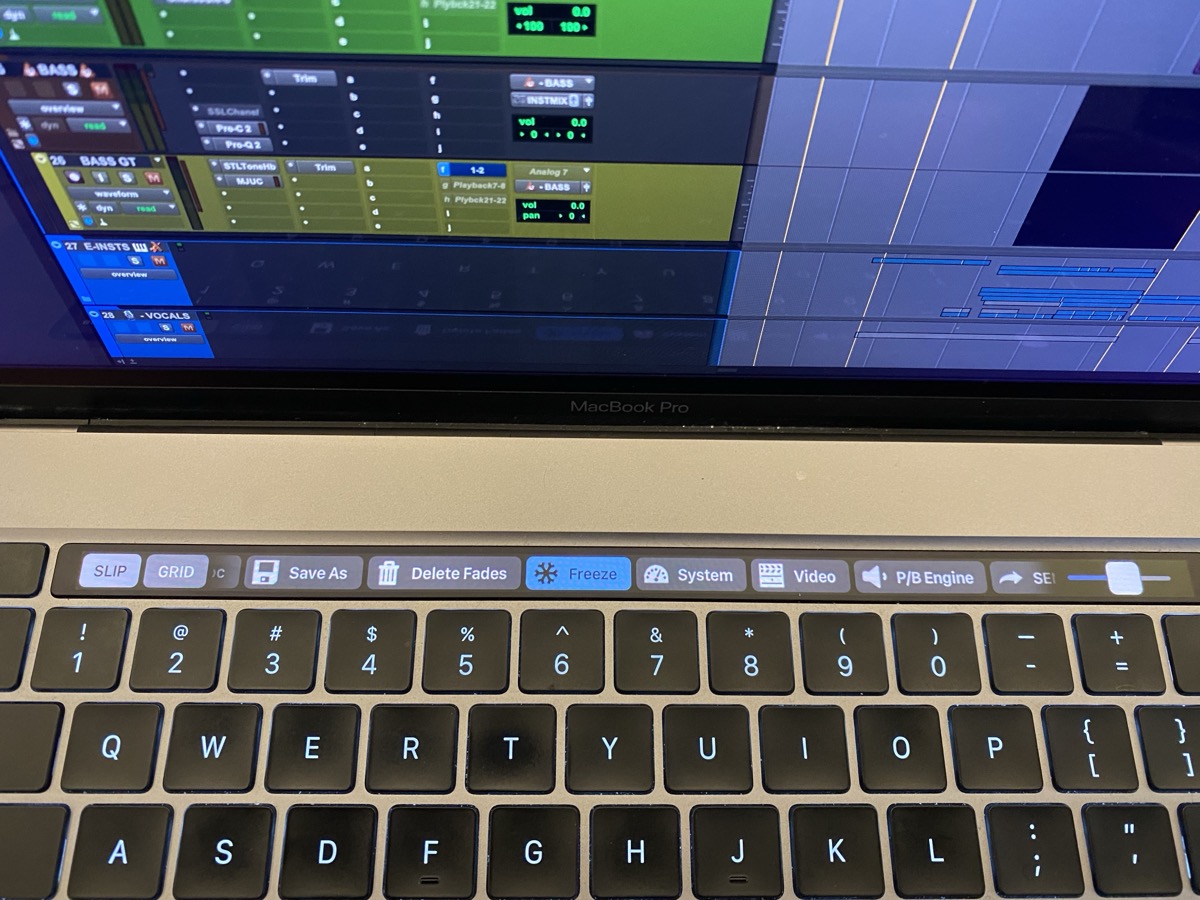 antoniohannamusic — 2021-05-08 — https://folivora.ai/ I can also send you the template I use to get started? It then you can see the setup and add your own shortcuts etc
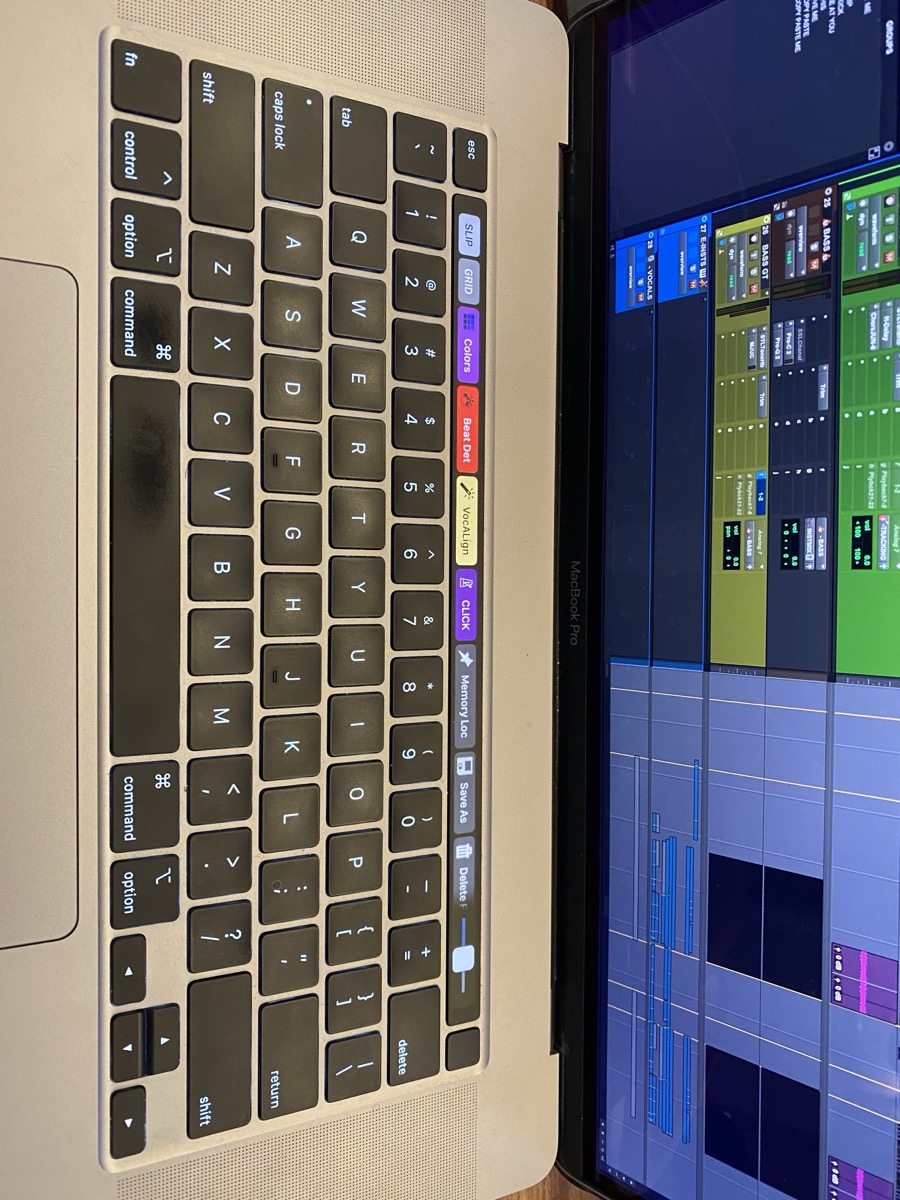 antoniohannamusic — 2021-05-08 — https://folivora.ai/ I can also send you the template I use to get started? It then you can see the setup and add your own shortcuts etc
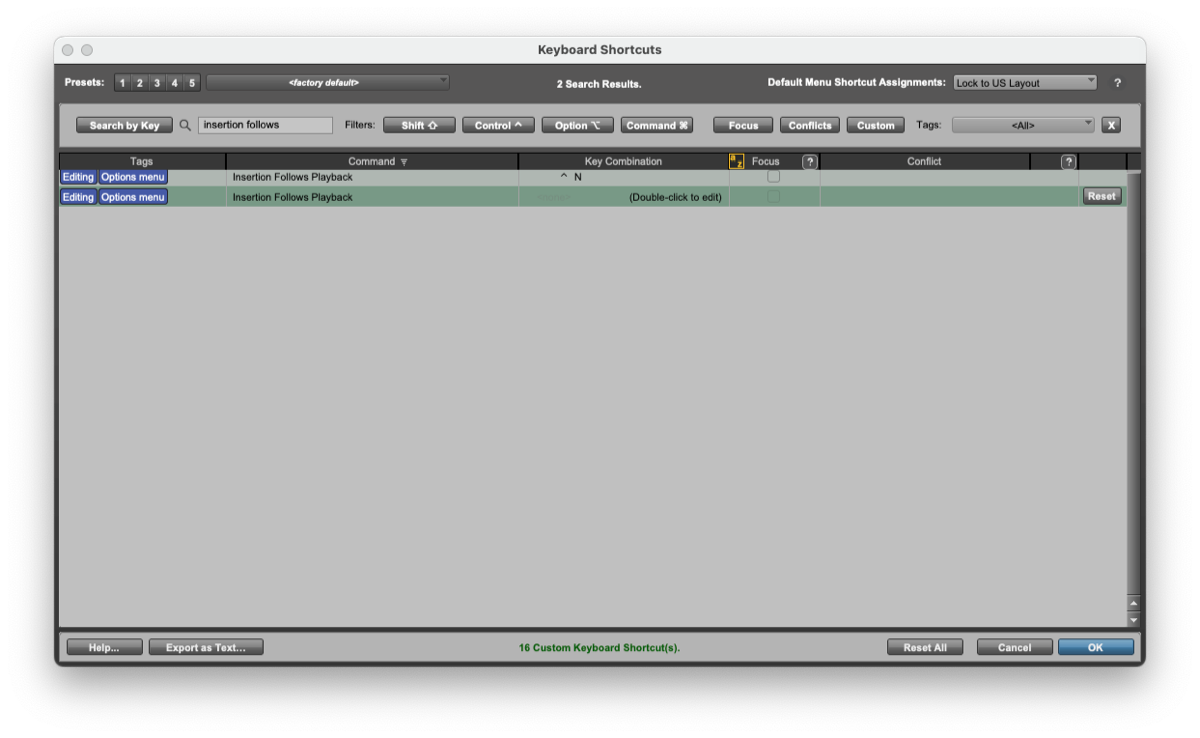 Will Melones — 2022-10-04 — Yeah no need for System Prefs tricks anymore…you can just unassign it in PT’s Keyboard Shortcuts!
 *Slow Hand — 2022-11-30 — I’ll do something similar with an Instrument Rack when it comes to pitched samples like 808’s.
I’ll load a whole folder of 808s into individual cha…*
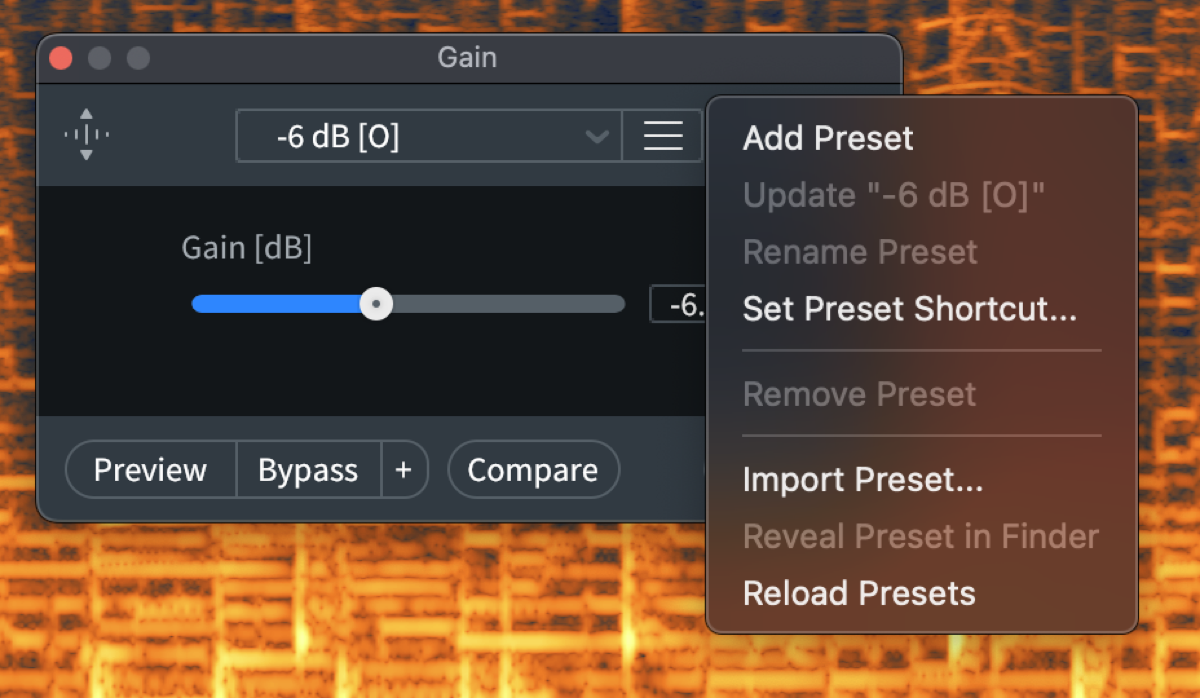 Adam Thein — 2023-11-19 — Yes - “Set Preset Shortcut”
Source Discussions
Discord Source
Channel: daw-talk — Date Range: 2021-02 to 2026-02 Key contributors: Josh, Adam Thein, Will Melones, peterlabberton, gatewoodsensei Message volume: 281 categorized messages
Discord Source
Channel: cubase — Date Range: 2024-09 to 2026-01 Key contributors: LAPhill, SoundsLikeJoe, Jeff Dunne, Joel “Roomie” Berghult Message volume: ~80 messages on Logical Editor, PLE, macros, and Stream Deck integration See also: cubase Channel Summary
Discord Source
Channel: logic-pro — Date Range: 2024-02 to 2026-02 Key contributors: Spencer Broschard, Tristan, Jonathan Arnold, Bryan DiMaio Message volume: ~20 messages on SoundFlow with Logic, key commands, and controller assignment See also: logic-pro Channel Summary
Discord Source
Channel: pro-tools — Date Range: 2024-02 to 2026-02 Key contributors: Tristan, bobby k, aidanthillmann, samvalentine Message volume: ~50 messages on SoundFlow deep integration, Bounce Factory, custom scripts, Forte, Keyboard Maestro comparison, AI-assisted scripting, and community hotkey discussion See also: pro-tools Channel Summary