Session Templates and Organization
Summary
Abstract
Session templates and organization are foundational to professional audio workflow. Expert engineers invest significant time building templates with pre-configured routing, color coding, naming conventions, and default processing. Automation tools like SoundFlow (Pro Tools) can dramatically accelerate mix prep. Good organization saves hours per session and reduces errors.
Detail
Template Philosophy
Professional engineers build comprehensive templates rather than starting from scratch:
- Pre-configured bus routing (drums, bass, vocals, instruments, FX)
- Color coding by instrument group
- Default processing on buses (bus compression, EQ)
- Monitoring routing and reference track setup
- Marker templates for common song structures
SoundFlow Automation (Pro Tools)
Nacho Sotelo uses SoundFlow scripts to automate mix prep:
- Script searches track comments for keywords and routes tracks to appropriate template folders
- Strips silence, colors tracks, routes to corresponding folders automatically
- Smaller scripts write track comments to minimize manual typing
- Reduces what would be hours of manual mix prep to minutes
Source
Author: Nacho Sotelo — Date: 2024-03-23 — Channel: daw-talk “My mix prep script searches for specific keywords in the track comments and moves the correct tracks to the appropriate folder in my template. It strips silence, colors the tracks, routes them to the corresponding folder.”
Ableton-Specific Organization
- Audio Effect Racks store entire processing chains as presets (Slow Hand)
- Instrument Racks with chain automation for live performance (Slow Hand)
- Dummy clips — empty clips that send program change messages for live set management (Slow Hand)
- Cmd+F browser search for instant access to any saved preset, sample, or plugin (oaklandmatt)
Source
Author: Slow Hand — Date: 2022-02-17 — Channel: daw-talk “Getting familiar with all of the capabilities of the instrument racks and audio effect racks — they’re immensely powerful once you understand chains. Dummy clips are empty clips that you can launch to send program change messages to your racks.”
Naming Conventions and Delivery
- Consistent naming is critical for session transfers between engineers
- Stem naming should be clear and standardized
- Slow Hand goes to “great lengths to ensure that stems are as easy as possible to plug-and-play”
Source
Author: Slow Hand — Date: 2022-06-29 — Channel: daw-talk “I’m very particular about how my stuff gets rendered and go to great lengths to ensure that when I hand someone stems that they’re going to be as easy as possible to plug-and-play.”
Ableton Template & Session Management (from ableton-live)
Additional Ableton-specific template strategies from the dedicated channel:
- Dragging channels between sessions — open two Ableton sessions side by side and drag tracks/channels from one to the other. This transfers the audio, all plugins, and routing — useful for building up sessions from a library of saved instrument sessions (Jeremy Klein, ableton-live)
- Saving instrument sessions — instead of saving individual presets, save entire Ableton sessions with fully configured instrument tracks (routing, effects, sends). Open these as a library to drag channels into new projects (#ableton-live)
- Key mapping defaults — map frequently used controls (metronome, loop on/off, locators) to keyboard shortcuts at the session level. These persist within the .als file (#ableton-live)
- SoundFlow for Ableton — SoundFlow (originally Pro Tools-focused) now supports Ableton Live, enabling custom keyboard shortcuts, macros, and automation scripts beyond Ableton’s native capabilities (#ableton-live)
- Loadr (Max for Live) — M4L device that batch-loads plugins and devices into a session, streamlining template building and session prep (#ableton-live)
- Stream Deck integration — several community members use Elgato Stream Deck with Ableton for one-touch access to common actions, transport controls, and macro triggers (#ableton-live)
Pro Tools Session Organization (from pro-tools)
Flat Folder Structure Philosophy: Zack Hames advocates for “as few folders as possible” — a flat organizational approach that prioritizes visibility over nesting. This contrasts with the deep nesting common in large mixing templates but has advocates among tracking engineers who need quick access to all tracks.
Finder Sidebar Drag for Session Folders (Bryan DiMaio, 12 reactions): Bryan DiMaio shared a macOS tip: dragging your session folder to the Finder sidebar provides one-click access to the session directory from any Save/Open dialog — including Pro Tools’ bounce and import dialogs. One of the channel’s most-reacted tips.
Split Mono Import from Cubase → PT (Josh Bowman, 13 reactions): Josh Bowman documented a workaround for importing split mono files from Cubase sessions into Pro Tools, which by default doesn’t handle Cubase’s split mono naming convention. This was the channel’s highest-reacted practical tip.
Multitrack Delivery as PT Session (Ross Fortune): Ross Fortune’s practice of delivering final mixes as both stems and a complete Pro Tools session — allowing the recipient to play back the full mix with all routing and processing intact, rather than just receiving flat audio files.
Cubase Organization Tips (from cubase)
Hazel Rules for File Management: Dean Tuza shared macOS Hazel automation rules that auto-organize Cubase project folders, backups, and exports. Rules can:
- Move bounced files to a dedicated export folder based on naming patterns
- Archive old project versions automatically after a set period
- Sort audio imports by date or file type
Track Color Coding Systems: The cubase community discussed systematic track color approaches:
- Color by instrument group (drums = blue, bass = green, vocals = yellow, etc.)
- Cubase’s track visibility configurations allow saving and recalling visibility presets per workflow stage (tracking, editing, mixing)
- Combine color coding with PLE (Project Logical Editor) presets to show/hide tracks by color
Logic Pro Organization Tips (from logic-pro)
Default Patch Limitation: Bus sends configured in a default patch do not save — they must be reconfigured each time a new track is created from the patch. This is a known Logic limitation that catches new users (Charlie Deane, logic-pro).
Project Alternatives: Logic’s Project Alternatives feature allows maintaining multiple versions of a session within a single project file — useful for storing different mix versions, arrangement experiments, or client revisions without duplicating the entire project (spectrummasters, logic-pro).
Consolidate Session for Portability: File > Project Management > Consolidate gathers all referenced audio files, samples, and assets into the project folder. Essential before sharing sessions or moving them between machines (spectrummasters, logic-pro).
Package vs Folder:
- Package — a single macOS bundle containing all project assets. Recommended for collaboration and portability since everything is self-contained
- Folder — a directory structure with separate audio files. Easier to navigate in Finder but riskier for file path breakage
- For collaboration, use packages and compress before uploading (hyanrarvey, logic-pro)
Session Cleanup: File > Save As > Copy All Media creates a clean copy with only the audio files actually used in the session, removing unused recordings and imports (hyanrarvey, logic-pro).
Project Notes Camera: Logic Pro allows inserting photos directly from iPhone/iPad camera into project notes — useful for documenting gear setups, mic placements, and outboard settings during tracking sessions (spectrummasters, logic-pro).
Practical Application
- Invest time building templates — it pays off exponentially
- Use scripting tools (SoundFlow, ReaScript) to automate repetitive tasks
- Standardize naming conventions within your team/studio
- Color code by instrument group for visual navigation
- Save processing chains as presets/racks for reuse
Common Mistakes
- Not using templates (rebuilding from scratch every session)
- Inconsistent naming that confuses collaborators
- Over-complicated templates that slow down simple sessions
- Not updating templates as workflow evolves
See Also
- Pro Tools — template and SoundFlow integration
- Ableton Live — racks and browser workflow
- Bounce and Export Workflows — delivery naming conventions
- Recording and Tracking Workflows
- Mixing in the DAW
Community Screenshots
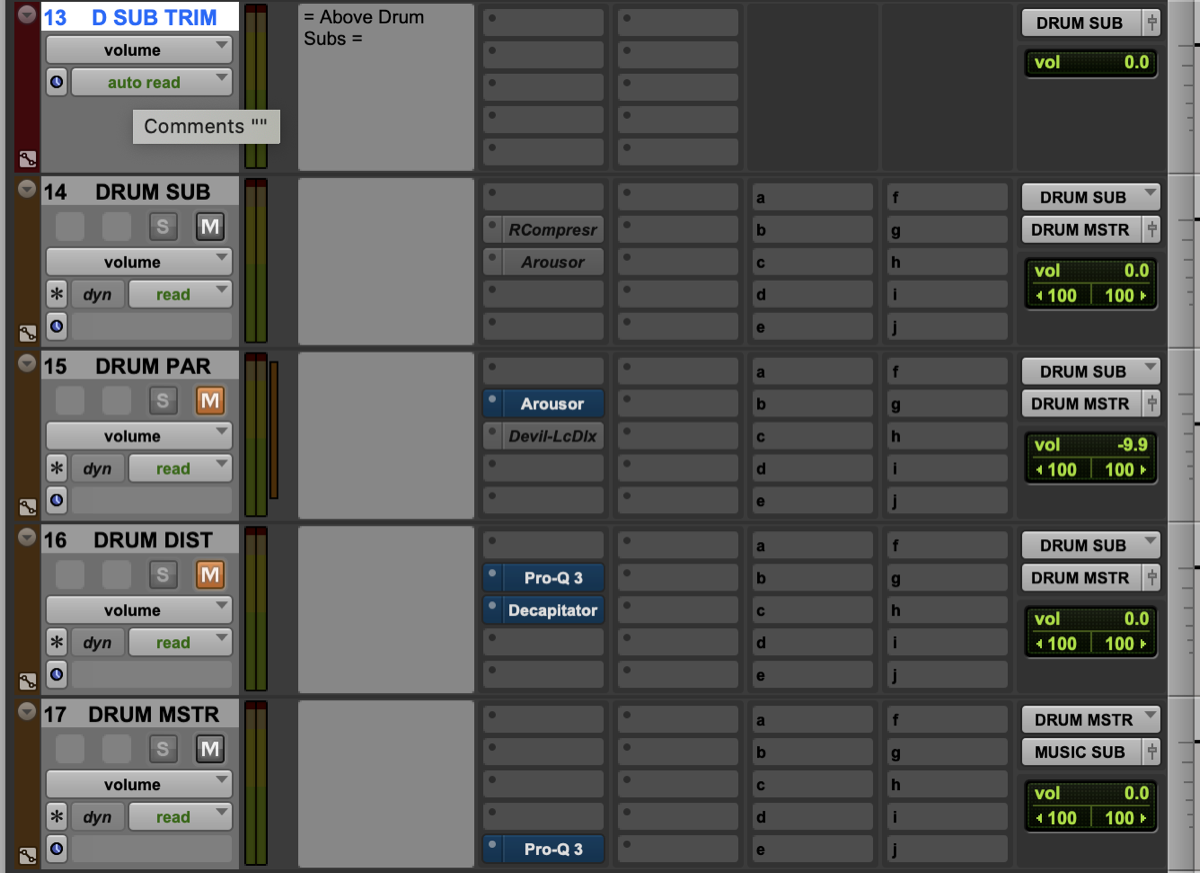 cian riordan — 2021-05-04 — All for it and a huge part of my workflow. I never got into VCAs outside of a few problems that needed solving and always have leaned on heavy bussing…
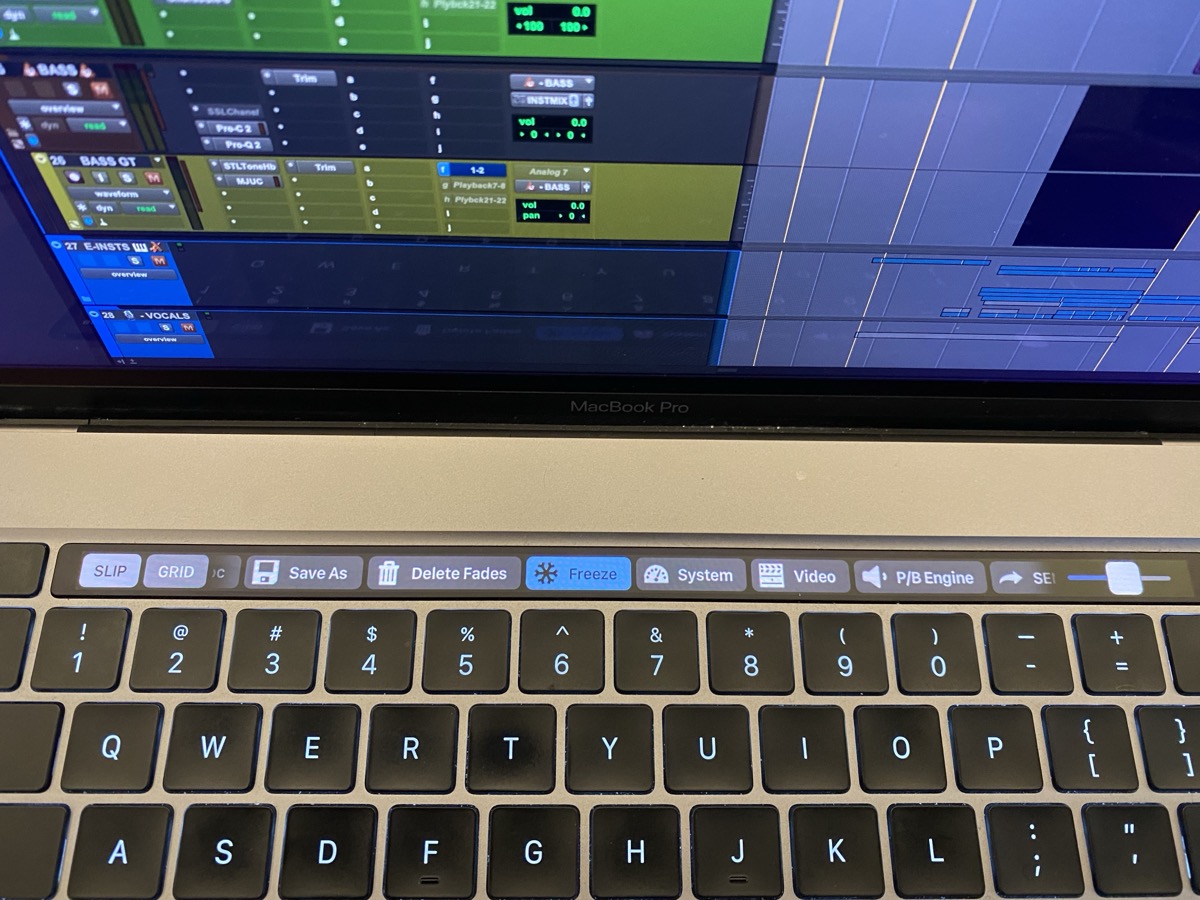 antoniohannamusic — 2021-05-08 — https://folivora.ai/ I can also send you the template I use to get started? It then you can see the setup and add your own shortcuts etc
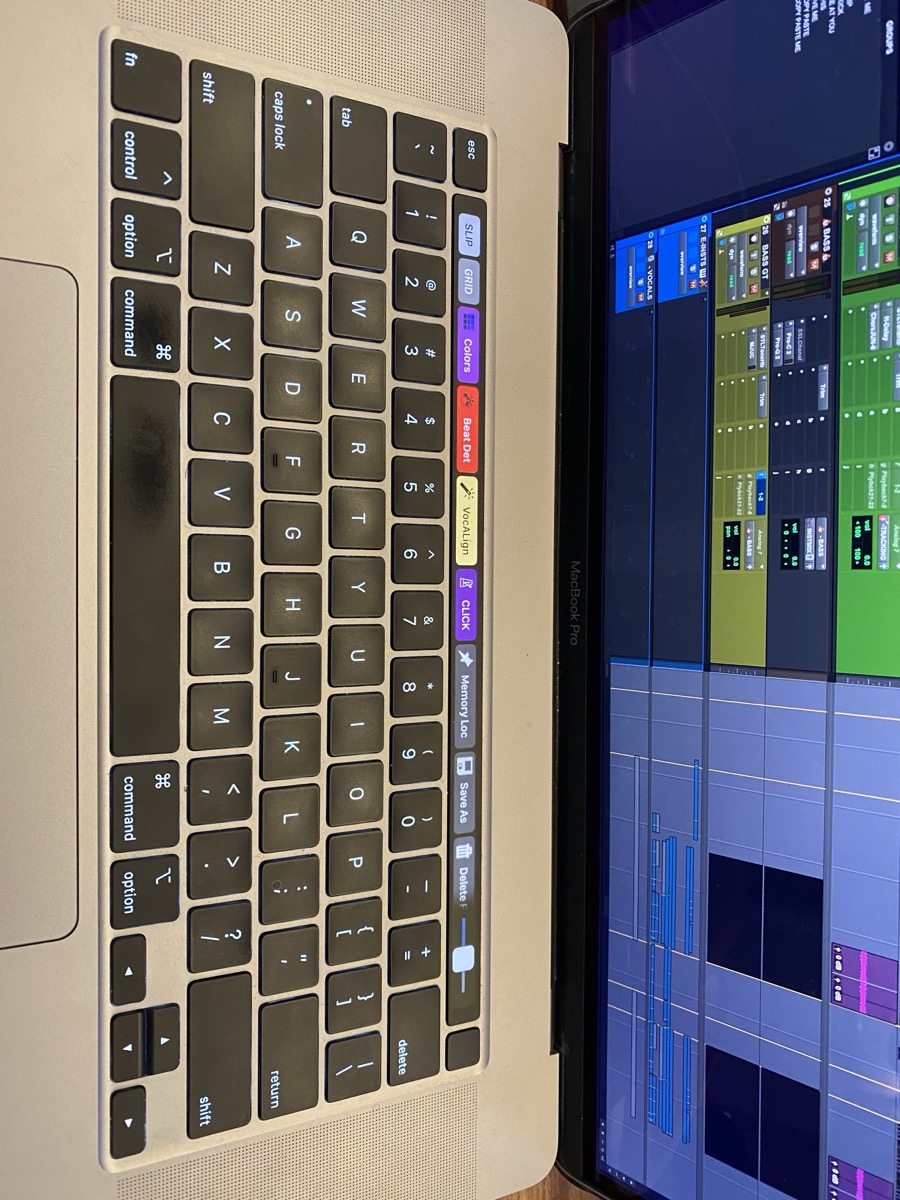 antoniohannamusic — 2021-05-08 — https://folivora.ai/ I can also send you the template I use to get started? It then you can see the setup and add your own shortcuts etc
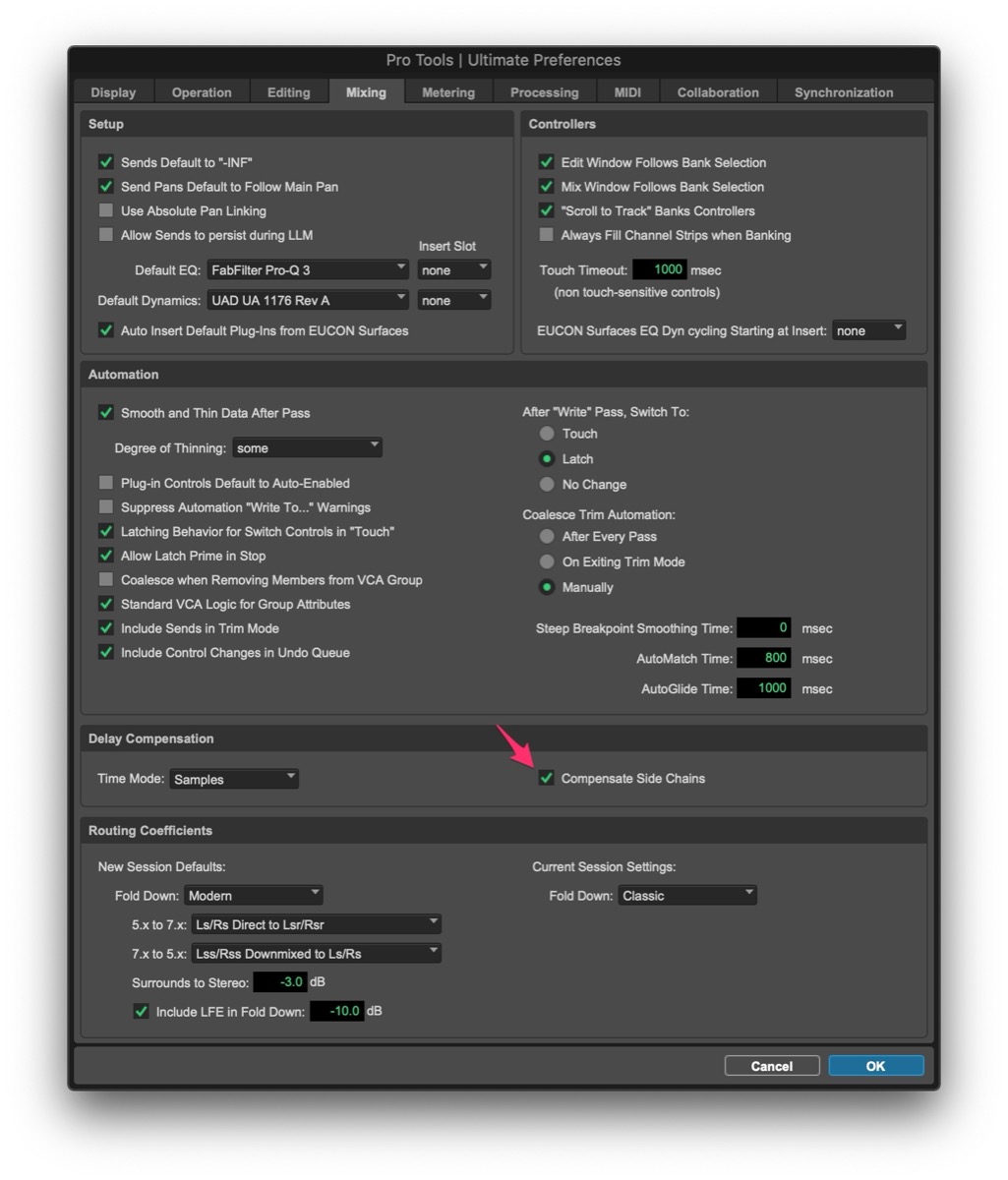 chadwahlbrink — 2022-04-01 — Pro Tools PSA - apparently, “side chain delay compensation” setting is tied to your specific .ptx session! Make sure this is on for all of your templa…
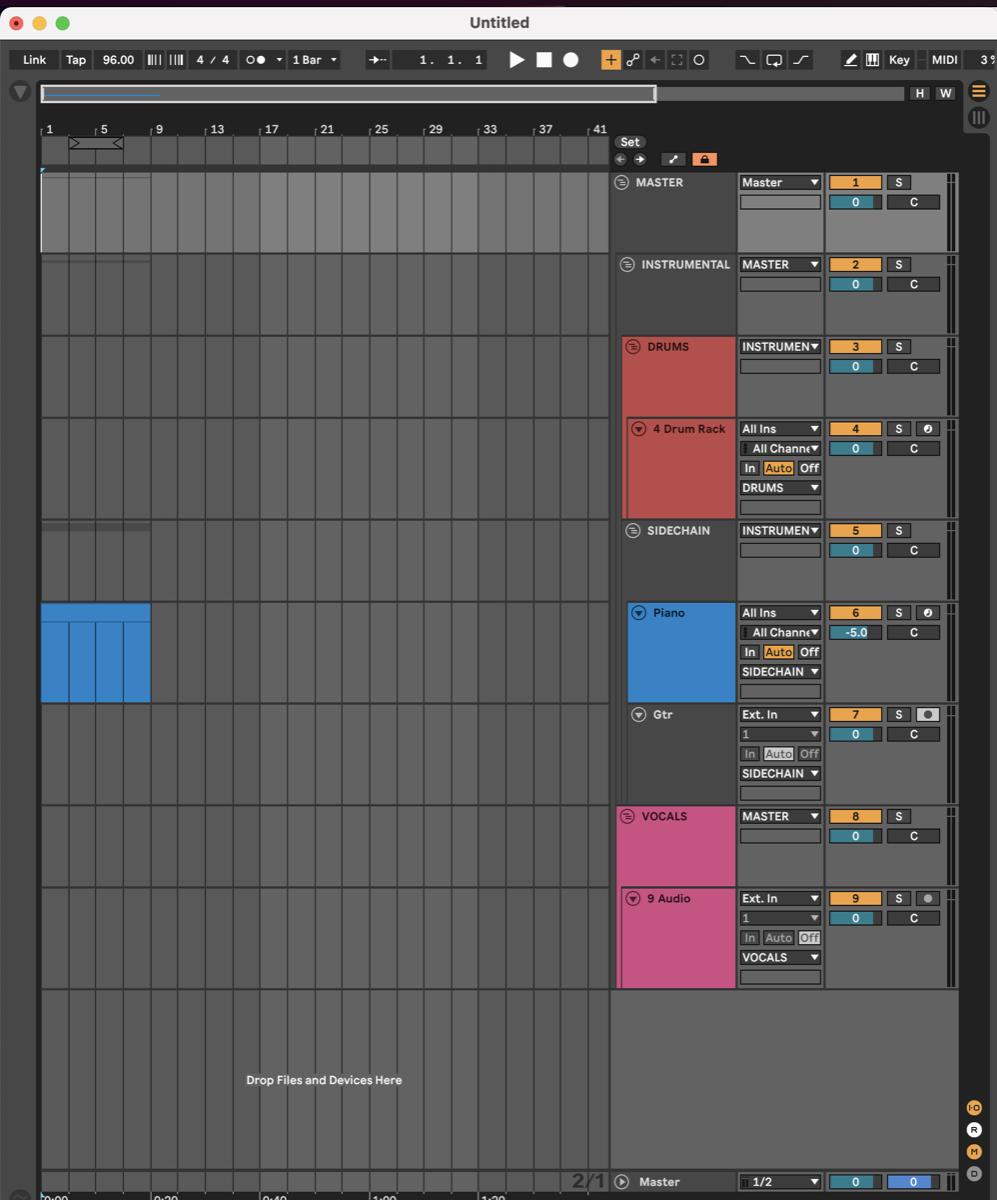 Jeremy Klein — 2023-03-14 — My starting template for production looks like this, and i do in general slot things where they are supposed to go while building out a song so also n…
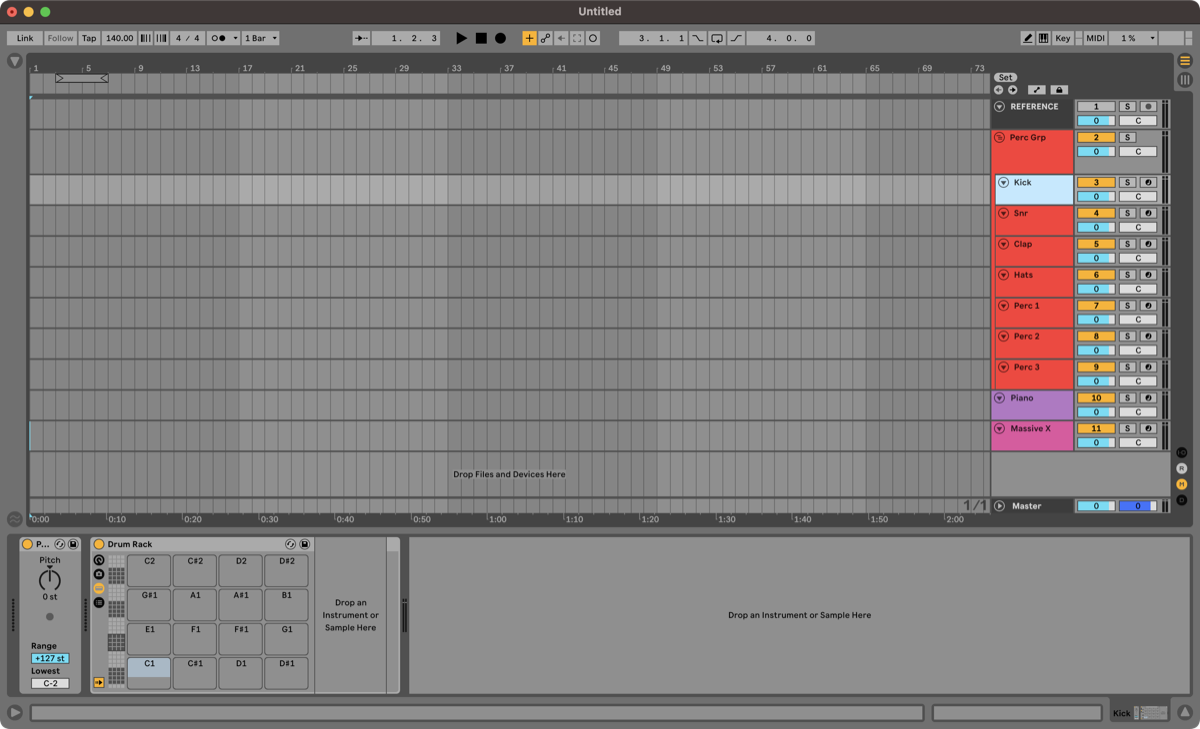 Slow Hand — 2023-03-14 — Man. Y’all are super dialed in with your templates. I can’t work with that level of clutter. My default set is austere. I always build it up from scra…
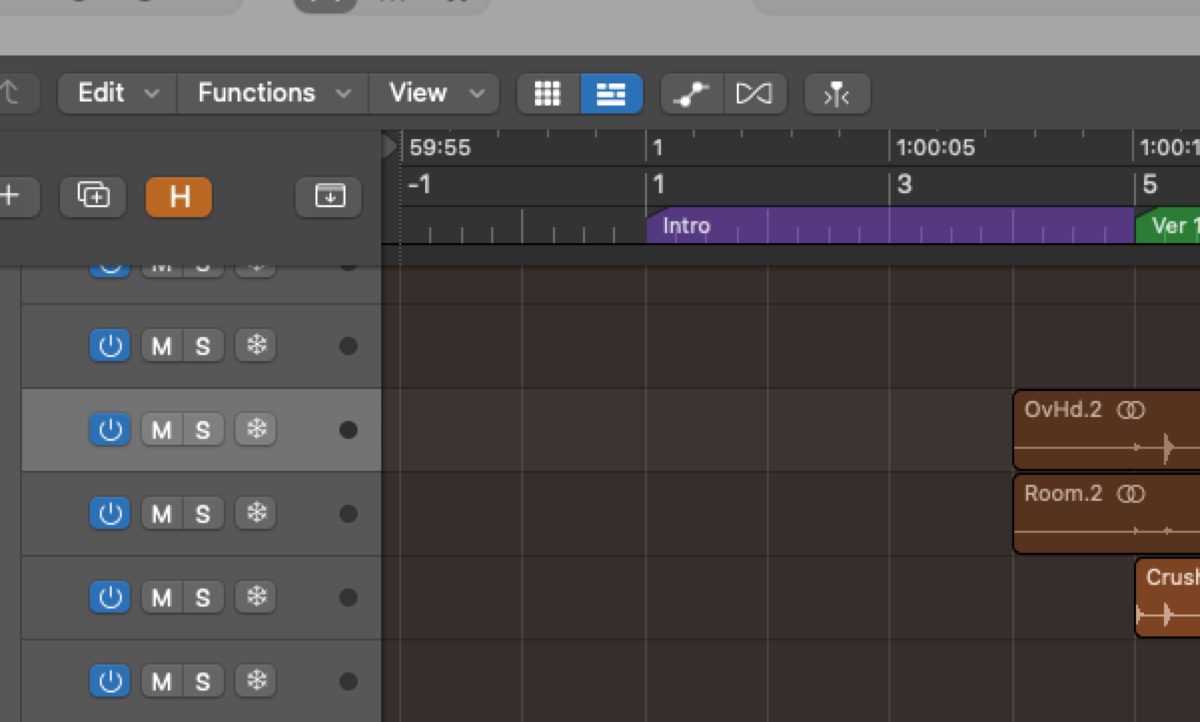 austenballard — 2023-04-16 — I have pre-roll built in to my template to avoid this problem
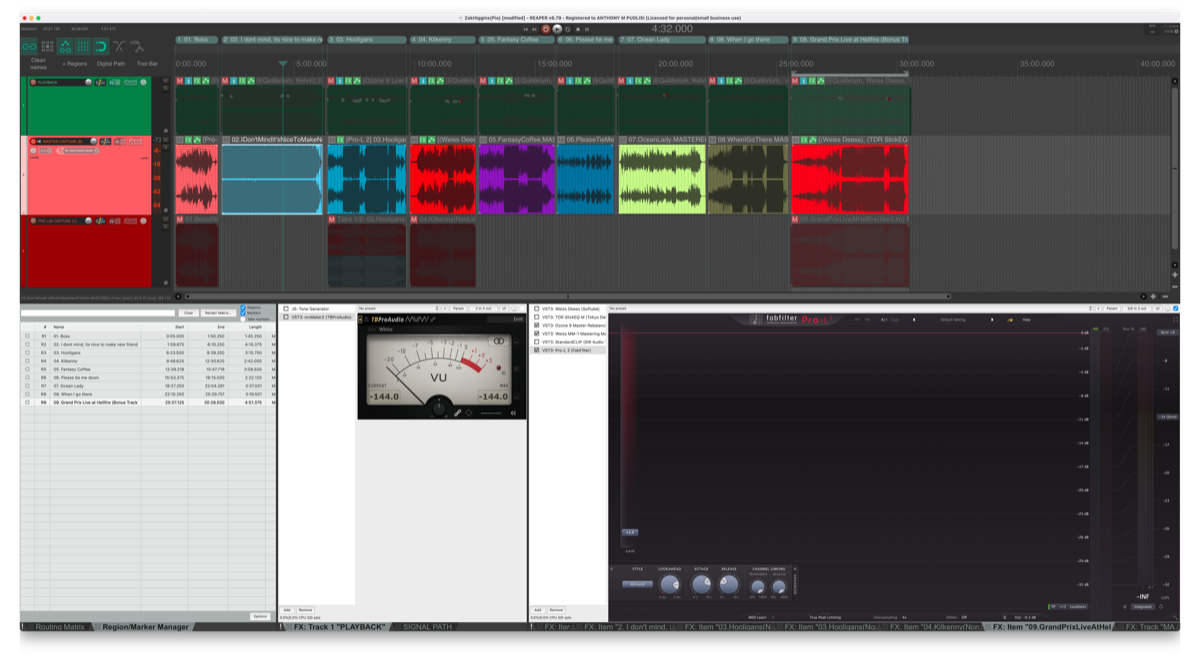 Rollmottle — 2023-05-02 — here’s a screenshot of my template for @Pio’s record. All in one screen. Pitch at the top, catch underneath, pre-lim under that. All effects for every…
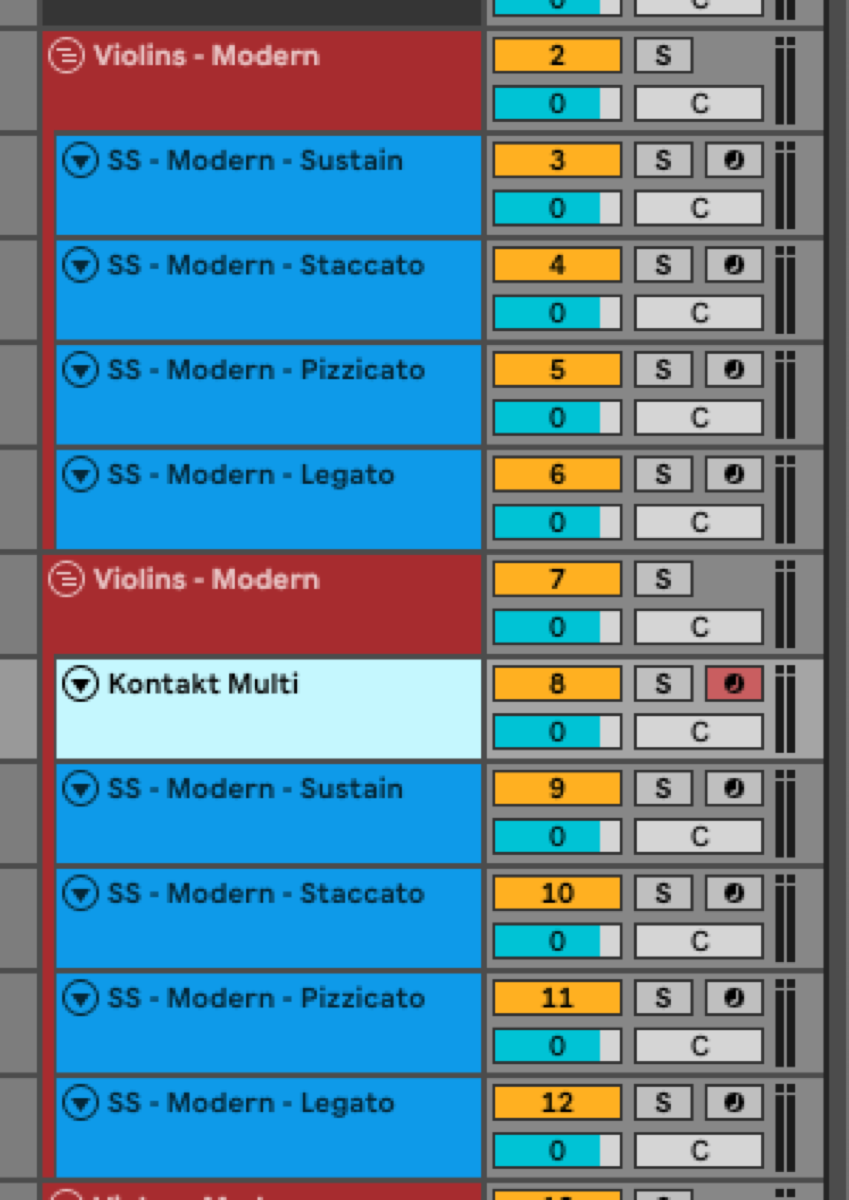 *Slow Hand — 2025-08-11 — Who here is doing heavy orchestral sequencing? I’ve got a question about setting up a template.
If you’re breaking a single sampled instrument out ac…*
Source Discussions
Discord Source
Channel: daw-talk — Date Range: 2021-02 to 2026-02 Key contributors: Nacho Sotelo, Slow Hand, oaklandmatt, Adam Thein, Rob Domos Message volume: 881 categorized messages (197 directly categorized, 68 from identified experts)
Discord Source
Channel: ableton-live — Date Range: 2024-02 to 2026-02 Key contributors: Jeremy Klein, Slow Hand, Josh, oaklandmatt Message volume: ~40 categorized messages on template workflow, SoundFlow, Loadr, and Stream Deck integration
Discord Source
Channel: cubase — Date Range: 2024-09 to 2026-01 Key contributors: Dean Tuza, LAPhill, chrissorem Message volume: ~15 messages on Hazel rules, track color coding, and PLE visibility presets See also: cubase Channel Summary
Discord Source
Channel: logic-pro — Date Range: 2024-02 to 2026-02 Key contributors: spectrummasters, hyanrarvey, Charlie Deane Message volume: ~55 messages on default patches, Project Alternatives, consolidate, package vs folder, and session cleanup See also: logic-pro Channel Summary
Discord Source
Channel: pro-tools — Date Range: 2024-02 to 2026-02 Key contributors: Zack Hames, Bryan DiMaio, Josh Bowman, Ross Fortune Message volume: ~80 messages on folder philosophy, Finder sidebar trick, split mono import, and multitrack delivery See also: pro-tools Channel Summary
Discord Source — newbie-questions
Channel: newbie-questions — Date Range: 2021-02 to 2026-02 Beginner session setup context: Zack Hames (5 reactions): “Think of a pro tools session file as ‘directions’ for all the parameters and files. So you can save a million project files without consequence or space issues.” Beginners frequently ask about basic session organization — track naming, color coding, and template creation. See DAW Workflow. See also: newbie-questions Channel Summary