Bounce and Export Workflows
Summary
Abstract
Bouncing and exporting are critical workflow steps for delivering stems, multitracks, and final mixes. Different DAWs handle this with varying levels of sophistication. Community consensus: Cubase/Steinberg has the best export workflow, Pro Tools is solid, and Ableton’s is notably cumbersome. Key concerns include sample accuracy, mono/stereo handling, naming conventions, and dithering.
How It Works
Ableton Live Export Workflow
Ableton’s export process is widely criticized as the most cumbersome among major DAWs. The community-recommended workflow (austenballard):
- Save a new .als for the track-out/stem-out process
- Apply a Utility plugin to the end of every track needed in mono — set to “Left Out Only” (not the mono button, to avoid phase issues from summing L/R)
- Freeze every track
- Select all stereo tracks and convert
- Flatten and export
Source
Author: austenballard — Date: 2023-02-27 — Channel: daw-talk “You are not spoiled, Ableton just doesn’t have it together here. At all.”
Source
Author: Slow Hand — Date: 2022-06-29 — Channel: daw-talk “I don’t like the formatting, naming conventions, etc from Ableton’s render multitrack feature. I’m very particular about how my stuff gets rendered. Ableton does not allow me to specify that I’d like to render certain parallel chains separately.”
Sample Accuracy Concerns
Sample accuracy issues are more common during playback than rendering, and less likely when printing files as a batch:
Source
Author: Adam Thein — Date: 2023-07-14 — Channel: daw-talk “The sample accuracy issues happen a lot more often in actual playback vs rendering. I like to group anything that sample accuracy is critical in the same export batch. This might mean you need to convert stereo files that contain only mono information.”
Pro Tools Export
- Bounce to disk with detailed format options
- AudioSuite for offline processing before export
- Track output assignment for stem bouncing
Pro Tools Stem Workflow (from pro-tools)
The pro-tools channel contains the community’s most detailed stem export workflows:
Bounce Factory 6-Step Process (kylem):
- Set up track outputs for each stem group
- Configure Bounce Factory with naming conventions and destination folder
- Solo-safe any reference tracks that shouldn’t be included
- Run Bounce Factory — it automates the solo→bounce→rename cycle
- Verify exported stems by reimporting and checking against the session
- Package stems with session notes for delivery
Custom SoundFlow Stem Scripts (Tristan): Tristan built custom SoundFlow scripts that go beyond Bounce Factory, automating the entire solo→bounce→rename→organize workflow with session-specific logic. He advocates custom scripts for engineers with recurring delivery requirements.
Forte Export Tool: A newer alternative to Bounce Factory for stem export. Reported as promising but buggier than Bounce Factory by the pro-tools community (Tristan).
Committing Workflow for Mix Delivery (Ross Fortune): Ross Fortune’s approach to delivering final mixes: commit all processing (print through inserts), consolidate clips, and deliver the Pro Tools session alongside stems. This ensures the mixer’s intent is preserved while giving the client a playable session.
Mono vs Stereo Export: Community emphasis on exporting mono sources as mono files — particularly important for bass, kick, snare, and lead vocal stems. Sending stereo files of mono content wastes disk space and can cause panning issues in the receiving DAW.
Surround/Atmos Channel Order (Oli J): For surround deliverables, Oli J noted that film and TV use different channel order conventions for surround stems. Engineers must verify the expected channel order (L R C LFE Ls Rs vs other arrangements) before bouncing surround content.
Cubase Export
- Considered the gold standard for export workflows
- Detailed naming, format, and routing options
- Batch export with granular control
Cubase Render Queue vs Render in Place vs Bounce (from cubase)
Cubase has three distinct rendering workflows that are a frequent source of confusion:
- Render in Place — renders with selected processing (inserts, sends, or both) to a new track in the project; the most flexible option for committing CPU-heavy plugins during mixing
- Bounce Selection — renders raw audio without any processing; useful for consolidating edits and gluing audio events
- Export Audio Mixdown (Render Queue) — renders to a file on disk with full channel path; used for final stems and deliverables. The render queue allows batch export of multiple channel configurations
Seamless Loop Export (SoundsLikeJoe)
SoundsLikeJoe’s method for exporting seamlessly looping audio:
- Set up the loop region in Cubase
- Render the loop 3 times consecutively (3× the loop length)
- Trim the exported file to the middle copy only
- The middle copy inherits seamless crossfade points from the surrounding repetitions, avoiding clicks at loop boundaries
Wet FX Stem Export
For exporting stems with wet effects:
- Select multiple outputs in the Export Audio Mixdown dialog
- Enable the FX channel checkbox to include effect return channels in the export
- This allows separate dry and wet stems — essential for remix deliverables and Dolby Atmos preparation
Settings & Parameters
| Parameter | Recommendation | Notes |
|---|---|---|
| Sample Rate | Match session rate | Convert only at final delivery |
| Bit Depth | 24-bit for stems, 16-bit for final masters | Apply Dithering when reducing bit depth |
| Format | WAV preferred | AIFF also acceptable |
| Mono handling | Left Out Only (not mono sum) | Avoids phase issues in Ableton |
| Naming | Consistent conventions | Critical for session transfers |
Ableton Group Bounce Workarounds
Ableton Live does not natively support bouncing/freezing group tracks (as of Live 12). The community has developed several workarounds documented extensively in ableton-live:
Sidechain Listen Trick (markmaclure / Ross Fortune)
- Set the group track output to a return track or unused bus
- Click the “sidechain listen” button (headphone icon) on the group track to solo its output
- Freeze the group — Ableton renders the soloed output
- Flatten to commit the bounced audio
- Re-route the flattened track back to the master
Discord Source
Author: Ross Fortune — Date: 2024-05-18 — Channel: ableton-live “The sidechain listen trick actually works for group bouncing. Solo the group via the headphone icon, freeze, flatten. It’s a hack but it gets you there.”
Resampling Method (Slow Hand)
- Create a new audio track set to “Resampling” as its input
- Solo the group you want to bounce
- Record-arm the resampling track and record in real-time
- The resampling track captures the group output including all processing
Live 12.3 — Paste Bounced Audio
Live 12.3 introduced “Paste Bounced Audio” which partially addresses this pain point — select a time range, bounce it, and paste the rendered audio in place. While not a full group freeze, it provides a faster inline bounce workflow.
Stem Handoff Across DAWs
When delivering stems from Ableton to other DAWs (particularly Pro Tools):
- Stereo vs mono export — when exporting stems destined for Pro Tools, render mono sources as mono files (not stereo). PT handles mono/stereo differently than Ableton, and sending stereo files of mono content wastes disk space and can cause panning confusion (Adam Thein, ableton-live)
- ReadMe.txt practice — Jacob (community member) includes a ReadMe.txt with every stem delivery package documenting BPM, session start time, sample rate, bit depth, and any processing notes. Recommended as best practice for multi-DAW handoffs (#ableton-live)
- Organize-and-freeze workflow — Jeremy Klein’s approach: organize all tracks into properly named groups, freeze everything, flatten, then export. This ensures all processing is committed and naming is consistent before delivery (Jeremy Klein, ableton-live)
Archiving Tips
- One-shot drum sample archiving — Slow Hand’s practice of bouncing all drum samples used in a session as one-shots into a dedicated folder before archiving, ensuring the session can be reconstructed even if sample libraries change or are uninstalled (#ableton-live)
- Collect All and Save habit — always run Collect All and Save before archiving an Ableton session. This copies all referenced audio files, samples, and presets into the project folder, making the session self-contained (#ableton-live)
Logic Pro Export Workflow (from logic-pro)
Logic Pro lacks native batch stem export — the most discussed pain point in the logic-pro channel. There is no way to export multiple stems through the mix bus without manually soloing each track.
Core Limitation:
- Bouncing in Logic renders only what is audible on the stereo output
- To export individual stems, you must solo each track and bounce one at a time
- No equivalent to Pro Tools’ track output assignment or Cubase’s Export Audio Mixdown batch mode
Third-Party Workarounds:
- Nic’s Logic Bouncer (SoundFlow) — automated solo-bounce workflow that scripts the tedious manual process; the most recommended solution but requires a SoundFlow subscription (Bryan DiMaio, logic-pro)
- Bouncrrr — standalone third-party tool praised as simple and reliable for batch stem export (Ross Fortune, Chad Rodgers, logic-pro)
- Forte — newer tool with promising features but reported as buggy and unreliable (Chad Rodgers, Spencer Broschard, logic-pro)
Bounce Tips and Gotchas:
- Cycle range bounce — use pre-roll + a blank MIDI clip to define a consistent cycle range for bouncing (austenballard, logic-pro)
- Bounce glitches — clicks and artifacts in the first ~30 seconds of bounced files. Fix by switching from offline to realtime bounce, or by increasing the buffer size before bouncing (DavidEngquist, Finding Hope, spectrummasters, logic-pro)
- Automation PDC bug — automation plays back early during bounce due to plugin delay compensation. The “bip” (bounce in place) workaround commits the automation before the final bounce (austenballard, esquinalee, logic-pro)
Cross-DAW Handoff from Logic:
- Unpack take folders before exporting — this extracts individual takes to separate tracks
- Export as mono when the source material is mono (hyanrarvey, oaklandmatt, logic-pro)
Variations
- Offline bounce — faster than real-time but may miss real-time-dependent effects
- Real-time bounce — captures everything including hardware inserts and real-time effects
- Stem export — grouped submixes (drums, bass, vocals, etc.)
- Multitrack export — individual track-by-track render
- Freeze + flatten — Ableton-specific approach to “committing” processing
Common Mistakes
- Using Ableton’s mono button instead of “Left Out Only” on Utility (causes phase issues from summing)
- Not batch-exporting tracks that need sample accuracy together
- Inconsistent naming conventions when delivering to mixing engineers
- Forgetting to apply dithering when reducing bit depth
- Not verifying exported stems by reimporting and null-testing
See Also
- Offline Bounce — faster-than-realtime rendering
- Stem Export — grouped submix delivery
- Dithering — required when reducing bit depth
- Sample Rate — matching across sessions
- Bit Depth — choosing the right depth for delivery
- Ableton Live — detailed export limitations
- Cubase — gold standard export workflow
- DAW Summing and Sound Differences
Community Screenshots
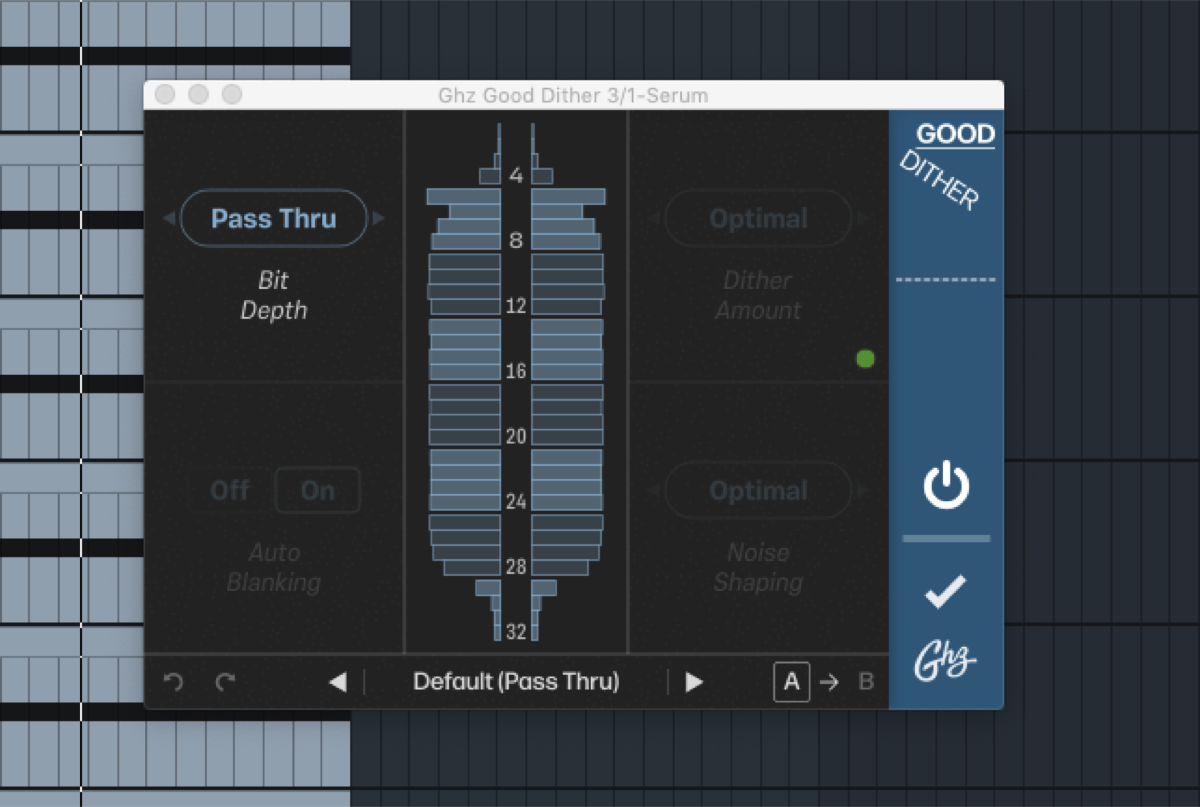 longstoryshort — 2021-05-04 — one last ableton test…opened 30+ Serum tracks, just a saw wave, added a bunch of processing and maxed out my CPU. no bit depth changes - it’s exac…
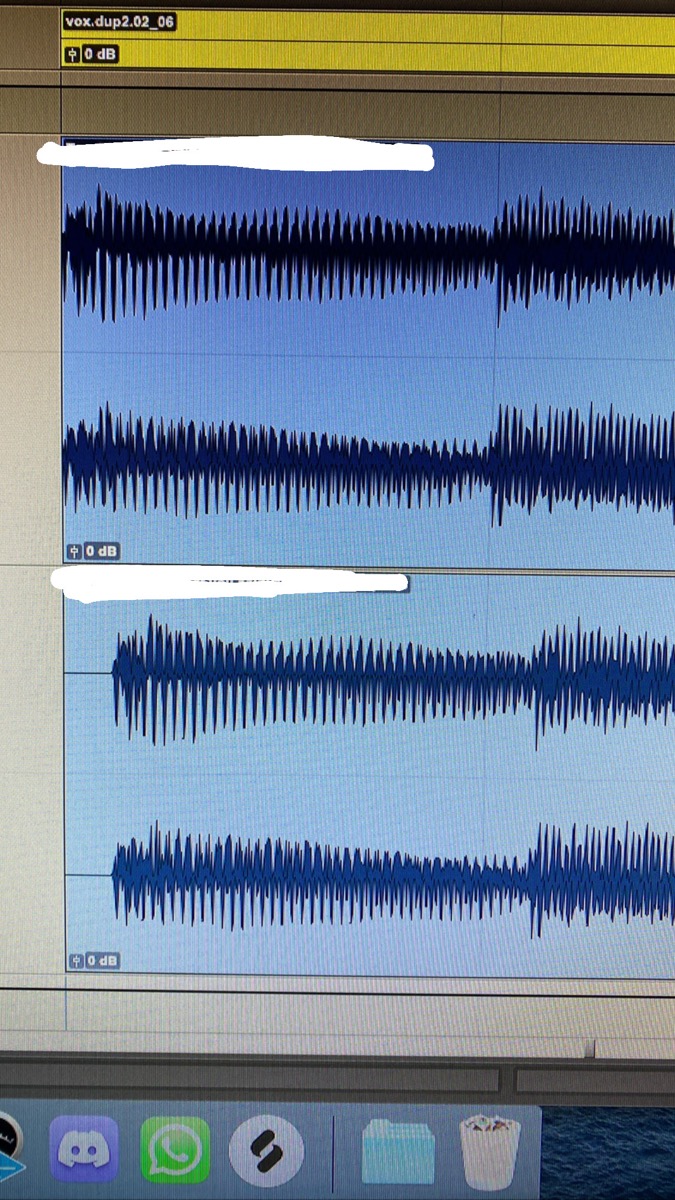 oaklandmatt — 2021-11-13 — same bounce rendering both wav and mp3
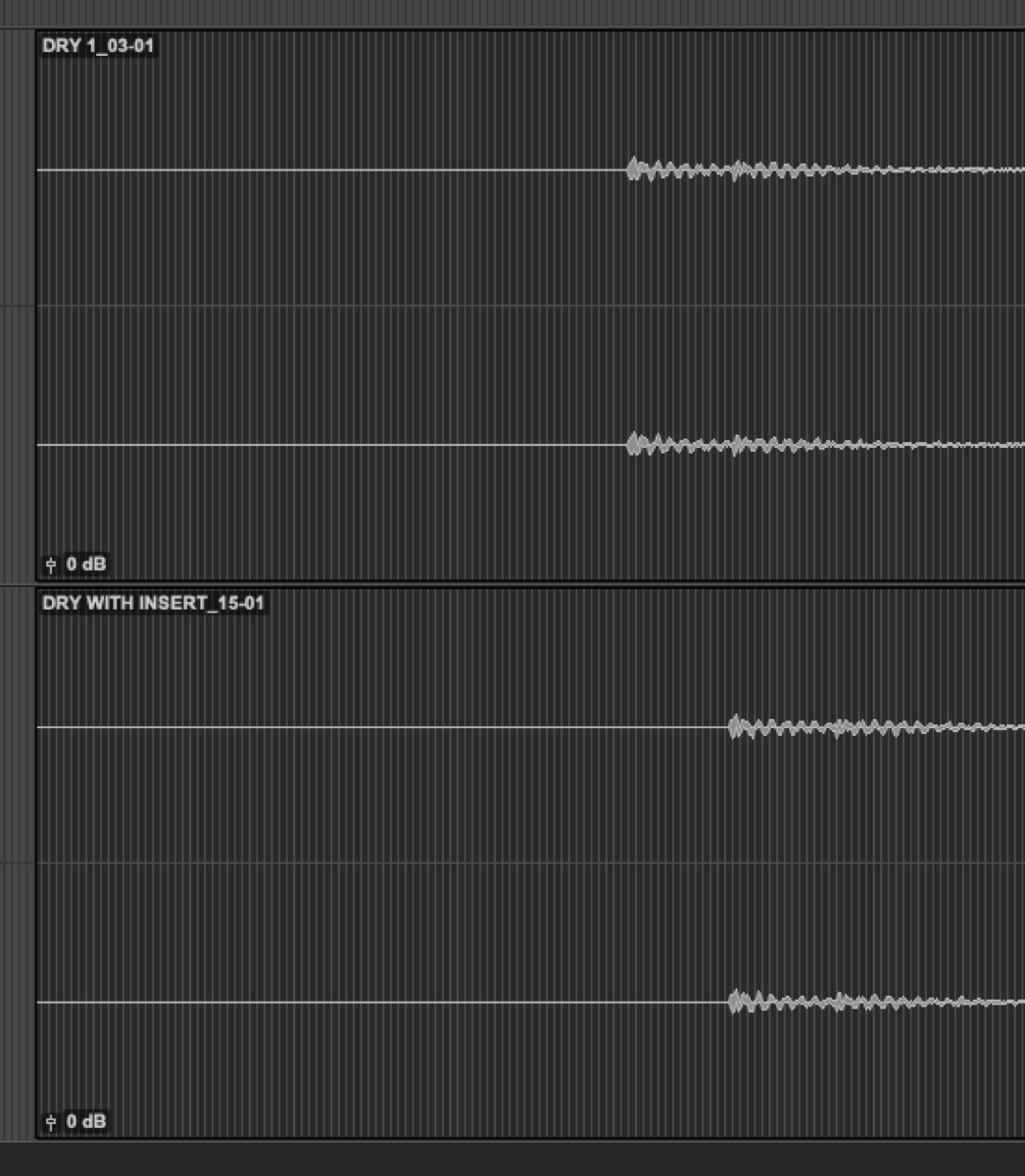 Dimitris Bourgiotis — 2022-04-26 — Super noob question, I am giving pro tools a go & while I love the workflow of a few things, I have stuck in compensating the hardware inserts with …
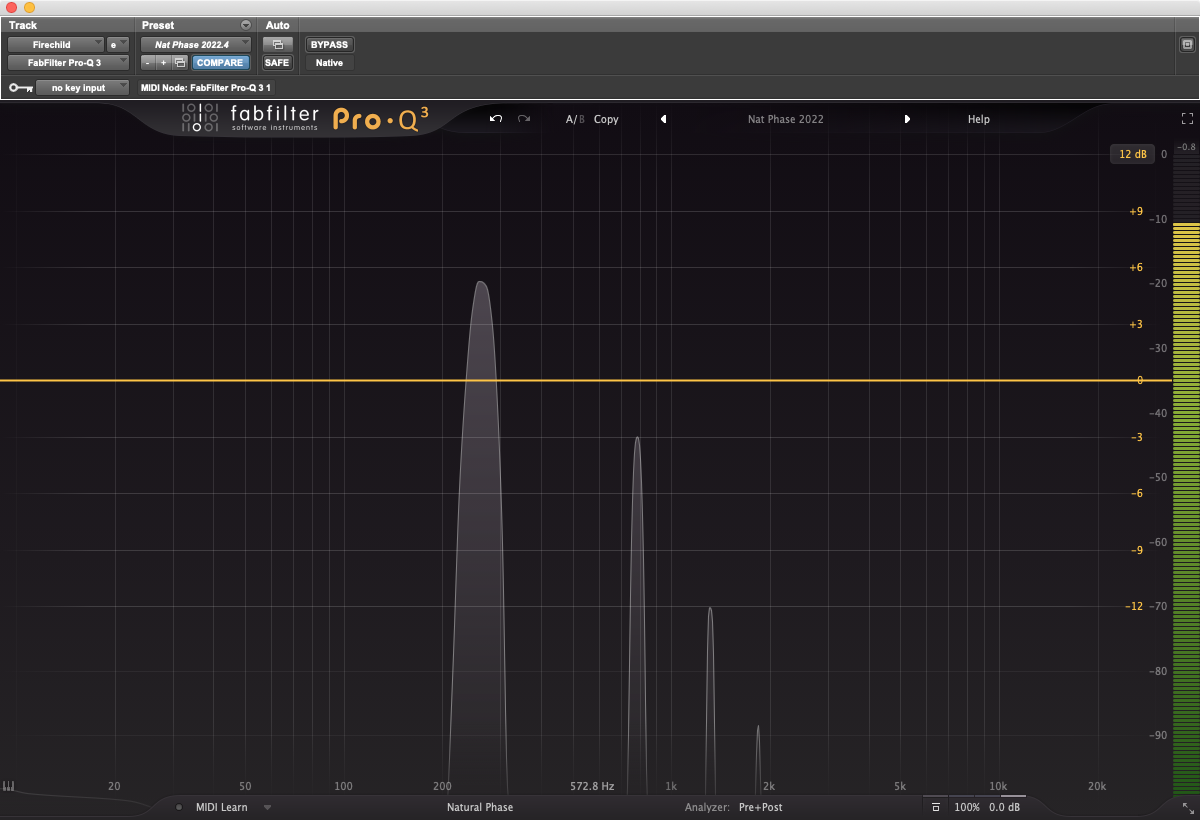 Will Melones — 2022-05-18 — So I was checking out the demo of this Firechild plugin that’s on sale for $29, and I was interested in the harmonics it was generating. I put a 262is…
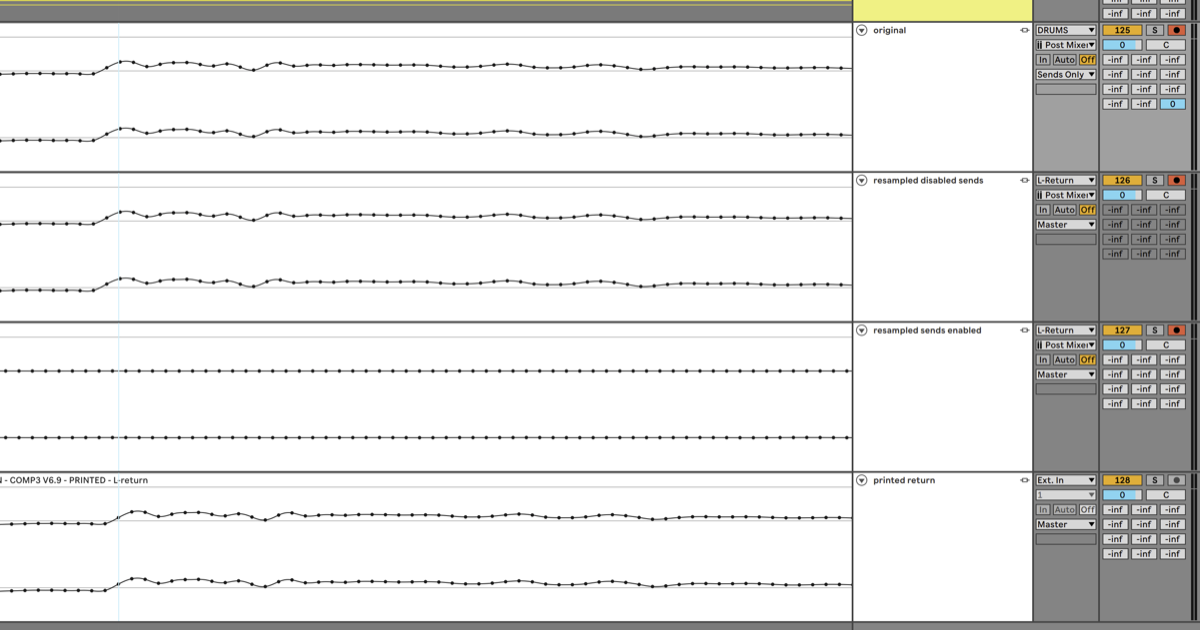 sukhuno — 2022-07-03 — Not exactly what i promised (that will come as a bigger typed out segment - i’m working on it) but here are some more nuances with ableton you all sho…
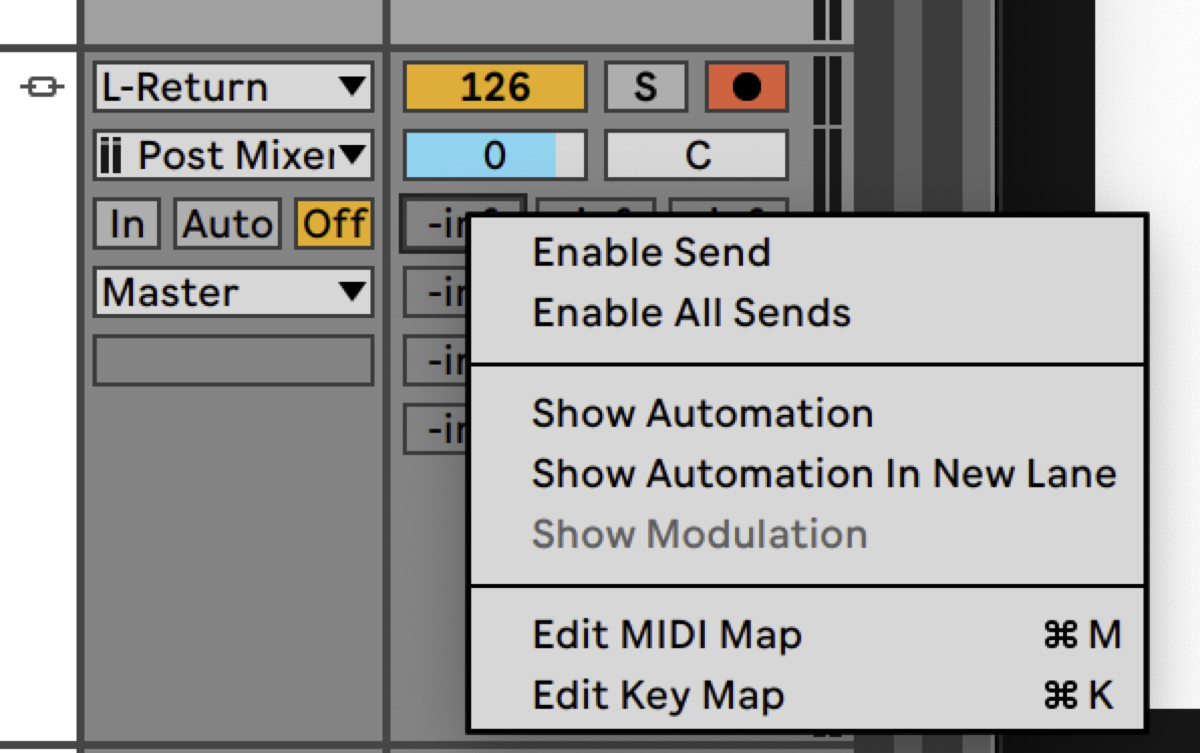 sukhuno — 2022-07-03 — Not exactly what i promised (that will come as a bigger typed out segment - i’m working on it) but here are some more nuances with ableton you all sho…
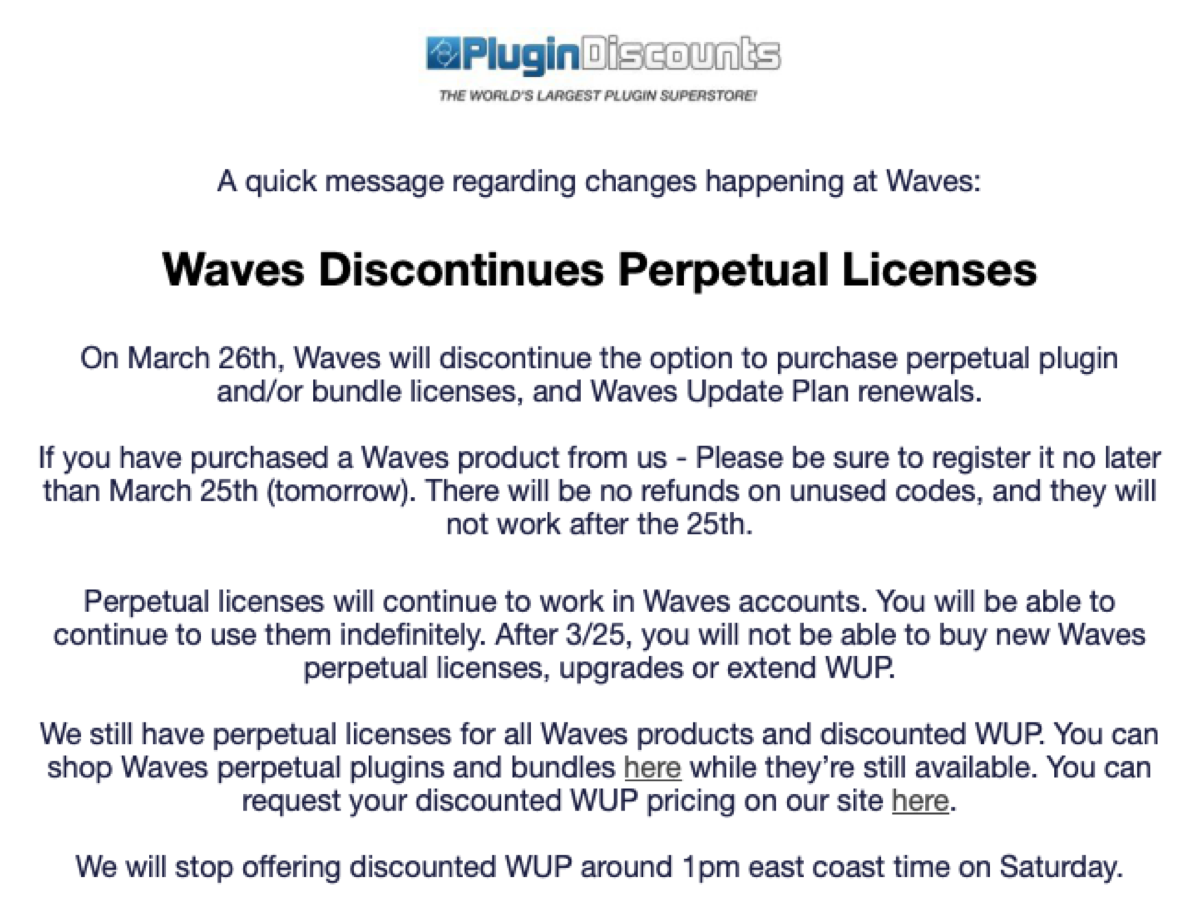 sethearnest — 2023-03-24 — Anyone heard wind of this? Just got it in my email. Waves sniffing that tasty, tasty subscription-only, recurring revenue glue.
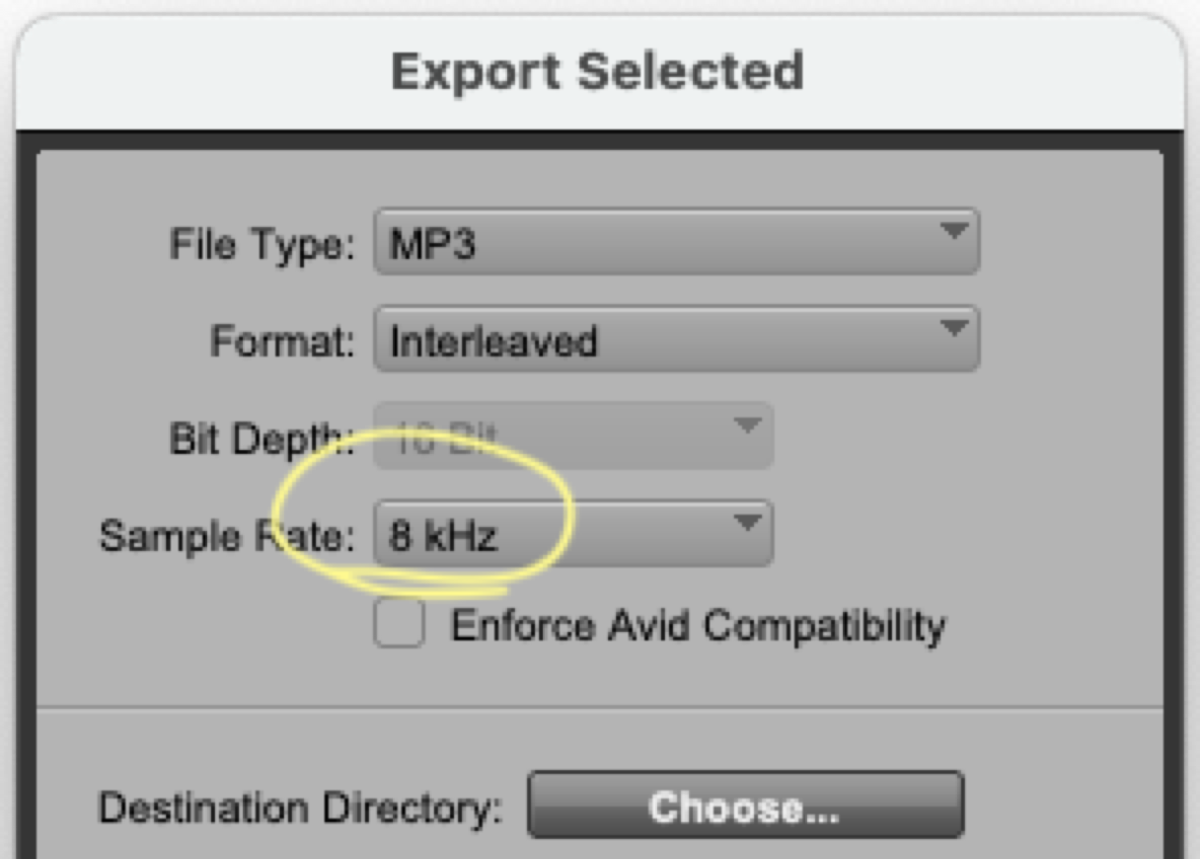 Will Melones — 2023-04-01 — PT halp! I saw that I could export an 8 kHz mp3 and had to hear it for myself. But it just comes out at 44.1 kHz. WHAT TO DO!
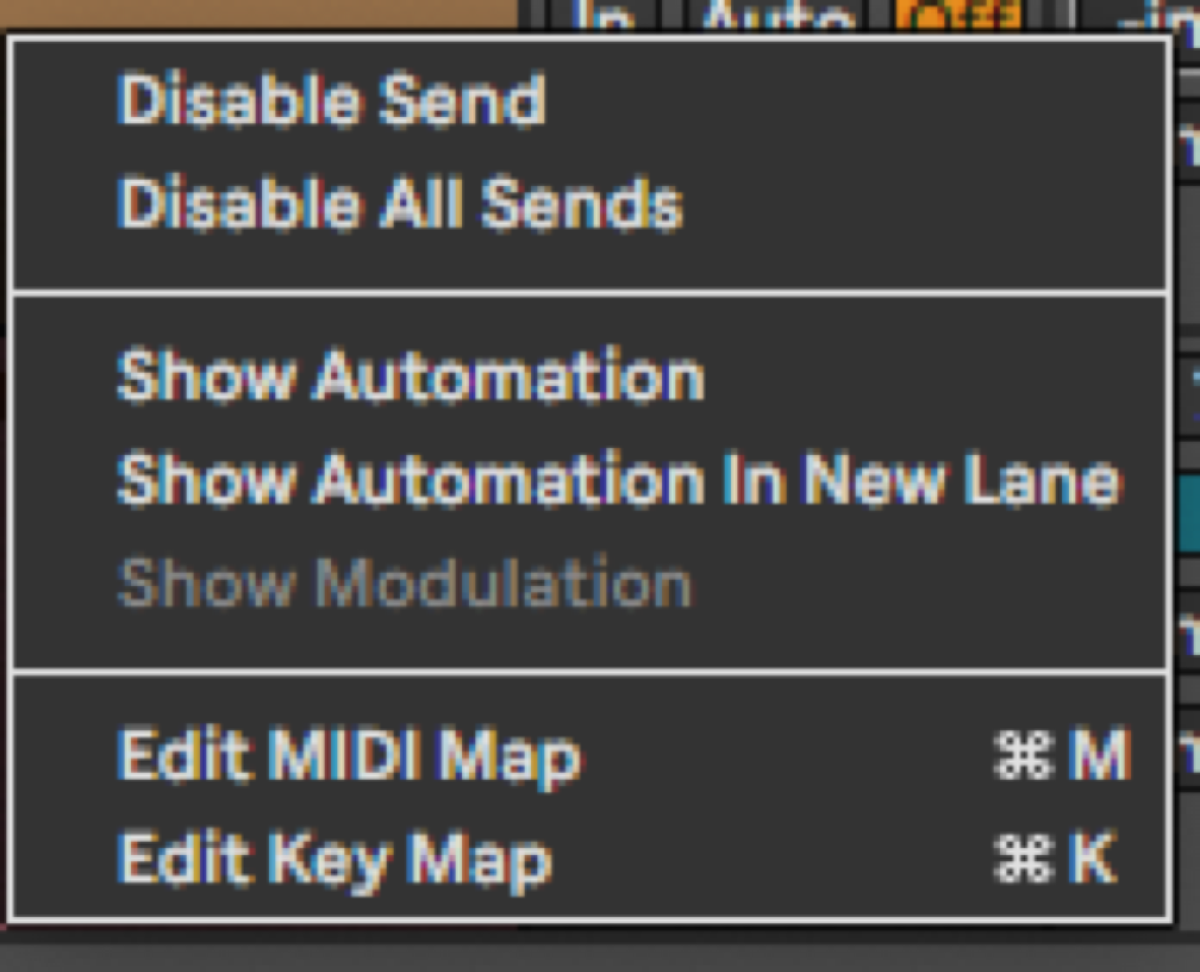 Adam Thein — 2023-05-18 — Ah I see - so the way to get around the delay compensation issue with Return tracks in Live is to disable the sends on the track you are printing to.
…
Adam Thein — 2023-05-18 — Ah I see - so the way to get around the delay compensation issue with Return tracks in Live is to disable the sends on the track you are printing to.
…
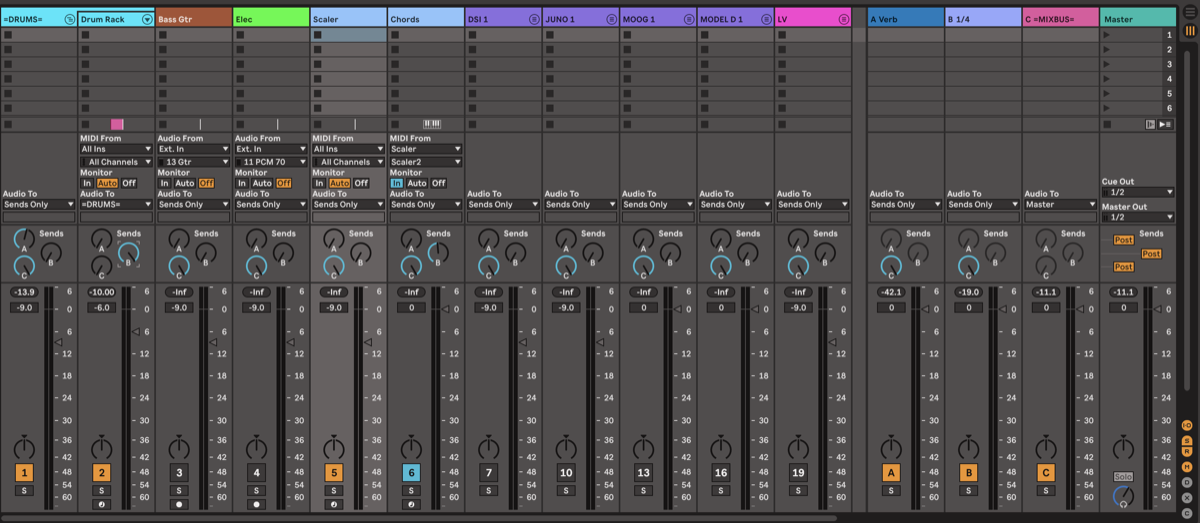 *Ross Fortune — 2023-05-18 — Tried your cascading system - it works!
With one issue, but it’s workable. Sending to a return from a nested track (“drum rack” within =DRUMS= here) …*
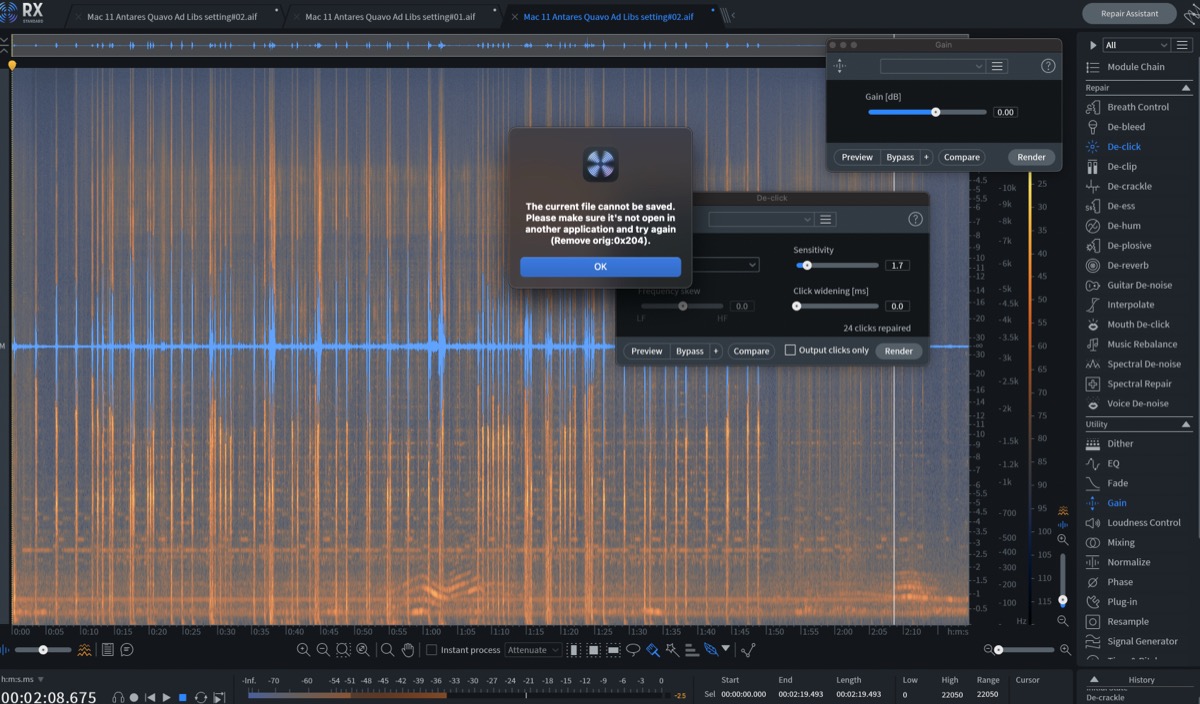 spectrummasters — 2023-09-16 — Logic gang, im getting this message when using rx10 as my audio editor in logic. (which is my usual workflow and i’ve never had it before), I usually …
 Adam Thein — 2024-01-14 — I’d recommend still trying a new print with the setting left on just in case! Just for posterity and clarity here’s the settings I’m talking about sp…
Source Discussions
Discord Source
Channel: daw-talk — Date Range: 2021-02 to 2026-02 Key contributors: austenballard, Slow Hand, Adam Thein, oaklandmatt Message volume: 1,186 categorized messages (356 from identified experts)
Discord Source
Channel: ableton-live — Date Range: 2024-02 to 2026-02 Key contributors: Slow Hand, Ross Fortune, Adam Thein, Jeremy Klein, markmaclure Message volume: ~130 categorized messages on stem export, group bounce workarounds, and archiving
Discord Source
Channel: cubase — Date Range: 2024-09 to 2026-01 Key contributors: SoundsLikeJoe, chrissorem, Joel “Roomie” Berghult Message volume: ~20 messages on render queue, Render in Place, loop export, and wet FX stems See also: cubase Channel Summary
Discord Source
Channel: logic-pro — Date Range: 2024-02 to 2026-02 Key contributors: Bryan DiMaio, austenballard, spectrummasters, hyanrarvey, Chad Rodgers, Ross Fortune Message volume: ~100 messages on Logic export limitations, bounce glitches, automation bugs, and third-party bounce tools See also: logic-pro Channel Summary
Discord Source
Channel: pro-tools — Date Range: 2024-02 to 2026-02 Key contributors: kylem, Tristan, Ross Fortune, Oli J Message volume: ~110 messages on Bounce Factory, SoundFlow stem scripts, Forte export, committing workflow, mono/stereo practices, and surround channel order See also: pro-tools Channel Summary