Troubleshooting DAW Issues
Summary
Abstract
DAW crashes and instability are among the most discussed topics in the community, with plugin conflicts, buffer/CPU overloads, and OS update incompatibilities being the leading causes. Community members have developed extensive workarounds for common issues across Pro Tools, Ableton Live, Logic Pro, and other DAWs, including session recovery techniques and strategies for navigating OS compatibility pitfalls.
Detail
Common Crash Causes
The most frequently reported crash triggers include exceeding CPU/buffer capacity, running too many real-time plugins, and hard drive I/O failures. Corrupted session files are another recurring issue, particularly after unexpected shutdowns. Members recommend saving incremental backups and using “Save As” frequently to avoid losing entire sessions.
Plugin-Related Issues
Third-party plugin conflicts are responsible for the majority of DAW instability. Specific problems include VST3 vs AU format inconsistencies, plugins not scanning correctly after updates, and 32-bit bridging failures. Running plugins under Rosetta on Apple Silicon can introduce additional instability layers. Members recommend disabling plugins one by one to isolate the offending component.
Source
Author: austenballard — Date: 2023-02-27 — Channel: daw-talk “@Josh… You are not spoiled, Ableton just doesn’t have it together here. At all. The Process: Save a new .als for the export…”
Session Recovery
When sessions become corrupted, recovery options vary by DAW. Pro Tools offers a “Recover Last Session” feature, while Ableton Live creates automatic backups in the project folder. Members emphasize the importance of regular manual saves with version numbering (e.g., “Mix_v3”, “Mix_v4”) and using cloud backup for critical sessions.
Performance Troubleshooting
CPU spikes and audio dropouts are commonly resolved by increasing Buffer Size, freezing or committing tracks, and closing background applications. Ableton Live users in particular need to manage group/thread distribution carefully, as a single heavy plugin chain can bottleneck an entire CPU thread.
OS Compatibility Issues
Operating system updates are a major source of instability. macOS updates frequently break DAW and plugin compatibility, especially during the Intel-to-Apple Silicon transition. The Rosetta compatibility layer introduced its own set of quirks, and members strongly advise waiting before updating to a new OS version until DAW developers confirm support.
Source
Author: Chase H — Date: 2025-03-17 — Channel: daw-talk “Upgraded to a m4 Mac Mini. Thursday while working on a mix the orange ‘Mic Mode’ icon flashed and caused a brief audio glitch…”
Cubase-Specific Issues (from cubase)
Cubase 13 Bounce Fatal Error: LAPhill reported a fatal error during bounce operations in specific session configurations in Cubase 13. The issue was session-dependent and could sometimes be resolved by removing specific plugins from the signal path before bouncing.
ARA Plugin Crashes:
- Melodyne ARA clicks/pops — audible artifacts at region boundaries when using Melodyne via ARA; the most commonly reported ARA issue in Cubase 13 and 14
- Auto-Tune ARA crashes — Antares Auto-Tune in ARA mode causes session instability and occasional crashes
- Workaround: Commit ARA-processed audio early (Render in Place or bounce) before further editing
OpenGL Plugin Window Issues: Plugins that use OpenGL rendering (Soothe 2, Altiverb, some Waves plugins) can conflict with Steinberg’s window management system, causing visual glitches, frozen GUIs, or crashes when opening/closing plugin windows rapidly.
GPU Driver Conflicts:
- NVIDIA GPUs occasionally cause GUI glitches in Cubase (flickering mixers, corrupted plugin windows)
- Radeon GPUs generally reported as more stable with Cubase
- Updating to the latest GPU drivers or disabling GPU acceleration in preferences can resolve issues
VSTi Multi-Out Visibility Sync Bug: When using multi-output virtual instruments (e.g., Kontakt, BFD), the output track visibility in the arrange window doesn’t always stay in sync with the mixer view. Workaround: manually refresh track visibility or save/recall a visibility preset.
“Bad Plugin” Diagnosis Workflow (SoundsLikeJoe): When a session crashes on load:
- Rename the VST plugin folders (or move them temporarily)
- Open the session — Cubase will load without the plugins
- Re-enable plugin folders one at a time, relaunching the session each time
- The crash will recur when the offending plugin folder is restored, isolating the culprit
Source
Author: SoundsLikeJoe — Date: 2024–2025 — Channel: cubase SoundsLikeJoe’s “bad plugin” diagnosis workflow — rename VST folders, open session, re-enable one at a time — is the systematic approach to isolating session crashes.
Pro Tools-Specific Issues (from pro-tools)
PT 2024.3 Aux Routing Delay Bug: Matthew The Cooke reported that aux sends introduced an unexpected delay in specific routing configurations after the 2024.3 update. The bug was session-dependent and not easily reproducible, making it particularly frustrating for engineers mid-project.
PT 2024.6 Playlist View Crash: samvalentine identified a crash triggered by the Ctrl+Cmd+arrow key combination in playlist view — a regression in the 2024.6 release that affected playlist navigation workflows.
M4 Rosetta Assertion Errors: Josh Bowman reported that creating new tracks on M4 Macs triggers assertion errors, requiring running Pro Tools under Rosetta 2 as a workaround. This affects the newest Apple Silicon hardware.
Session Corruption Recovery (Ross Fortune): When a Pro Tools session won’t open or crashes on load:
- Hold Shift while opening the session to disable all plugins
- Once the session loads (stripped of plugins), reactivate plugins one at a time
- The crash will recur when the offending plugin is reactivated, isolating the culprit
- Remove or replace the corrupted plugin and save a new session version
Autotune Settings Zeroed After Ozone 12 Install: Josh Bowman reported that installing iZotope Ozone 12 caused Antares Auto-Tune settings to reset to defaults across all sessions — a cross-plugin conflict triggered by the Ozone installer.
Aggregate Device Power Outage Recovery: Felipe De Mari Scalone documented that after a power outage, macOS aggregate audio devices can become corrupted and need to be recreated in Audio MIDI Setup before Pro Tools will recognize them again.
HEAT “Insufficient DSP” on Blank Session: montrose recording reported receiving “insufficient DSP” errors when enabling HEAT on a completely blank session with no tracks or plugins, suggesting a configuration or compatibility issue with certain hardware setups.
Low Latency Monitoring Mode Confusion: thegreatcarsoni raised confusion about Pro Tools’ Low Latency Monitoring mode, noting that Avid support claimed the feature “never worked that way” — contradicting community understanding of the feature’s behavior and documentation.
PT 2023.9 as Stability Sweet Spot: Community consensus recommends PT 2023.9 as the most stable recent release, with several members advising against upgrading past it unless specific new features are needed.
Logic Pro-Specific Issues (from logic-pro)
Logic 11 Command-R Crash: Pressing Cmd+R (Repeat Region) in Logic 11.0 caused widespread crashes and hangs. This was one of the most reported issues in the channel, affecting Brian Reynolds, Skyler Young, and Marty Byrde among others. Fixed in Logic 11.0.1 — community strongly recommends waiting for the first maintenance update before upgrading to any major Logic version.
Plugin Instability on Apple Silicon: Multiple M2 users reported “plugin caused Logic to be unstable” warnings. Some found running Logic under Rosetta provided better stability with minimal performance difference (Skyler Young, Deleted User, petter, logic-pro).
Plugin Alliance Copy-Drag Bug: When copying Plugin Alliance plugins between channel strips, Logic sometimes grabs the wrong plugin instance (spectrummasters, logic-pro).
Logic 10.5 — Worst Update: Community members recall Logic 10.5 as the most disruptive update — plugins broken, sessions crashing, workflow changes that disrupted established users (Deleted User, logic-pro).
Selection-Based Processing Issues: Logic’s Selection-Based Processing feature (AU effects applied destructively to regions) causes:
- Unpredictable audio dropouts after use
- Destructive file corruption that is difficult to undo
- Community recommendation: use Bounce in Place instead (spectrummasters, itaylerner, logic-pro)
Plugin Settings Forgotten: Logic occasionally resets plugin parameters — reported with Boz Big Clipper, FabFilter Pro-C 2 in dual mono mode, and Ozone 9 (DavidEngquist, logic-pro).
Voice Isolation Mode: macOS’s Voice Isolation mic mode can silently activate and block all audio input in Logic, with no obvious indication in the DAW. The fix is to check Control Center > Mic Mode and disable Voice Isolation (Bryan DiMaio, Strange Adonis, logic-pro).
USB Type-A Clock/Sync Issues: MacBooks using USB-A audio interfaces (via adapter) can experience sample rate mismatch and clock sync problems, causing clicks and dropouts (TURBO CHOOK, logic-pro).
Frozen Track Delay Compensation: Unfreezing tracks can break timing alignment. The fix is to remove and reinstantiate the plugins on the affected track, which forces Logic to recalculate delay compensation (Adam Thein, logic-pro).
File Overview Reconstruction: Some sessions repeatedly rebuild their audio file overview every time they are opened, adding significant load time (Iwan Morgan, logic-pro).
Automation Latency / PDC Issues: Automation can trigger early during bounce due to plugin delay compensation. The “bip” (bounce in place) workaround commits the automation before the final bounce (austenballard, esquinalee, logic-pro).
Practical Application
- Save incremental session versions frequently to enable rollback
- Isolate plugin crashes by disabling plugins one at a time
- Increase Buffer Size when experiencing audio dropouts during mixing
- Wait for DAW developer confirmation before updating your OS
- Keep a known-stable system configuration documented for fallback
- Use Rosetta selectively when native Silicon builds are unavailable
Common Mistakes
- Updating macOS immediately on release without checking DAW compatibility
- Not saving incremental backups before major session changes
- Assuming all plugins work natively on Apple Silicon without verification
- Ignoring hard drive I/O as a crash source (especially with external drives)
- Running sessions from network or cloud-synced drives
See Also
- CPU Optimization for Audio — managing CPU load to prevent crashes
- Computer Hardware for Audio — hardware choices that affect stability
- DAW Version History and Updates — risks and benefits of DAW updates
- Plugin Formats and Compatibility — plugin-related crash prevention
Community Screenshots
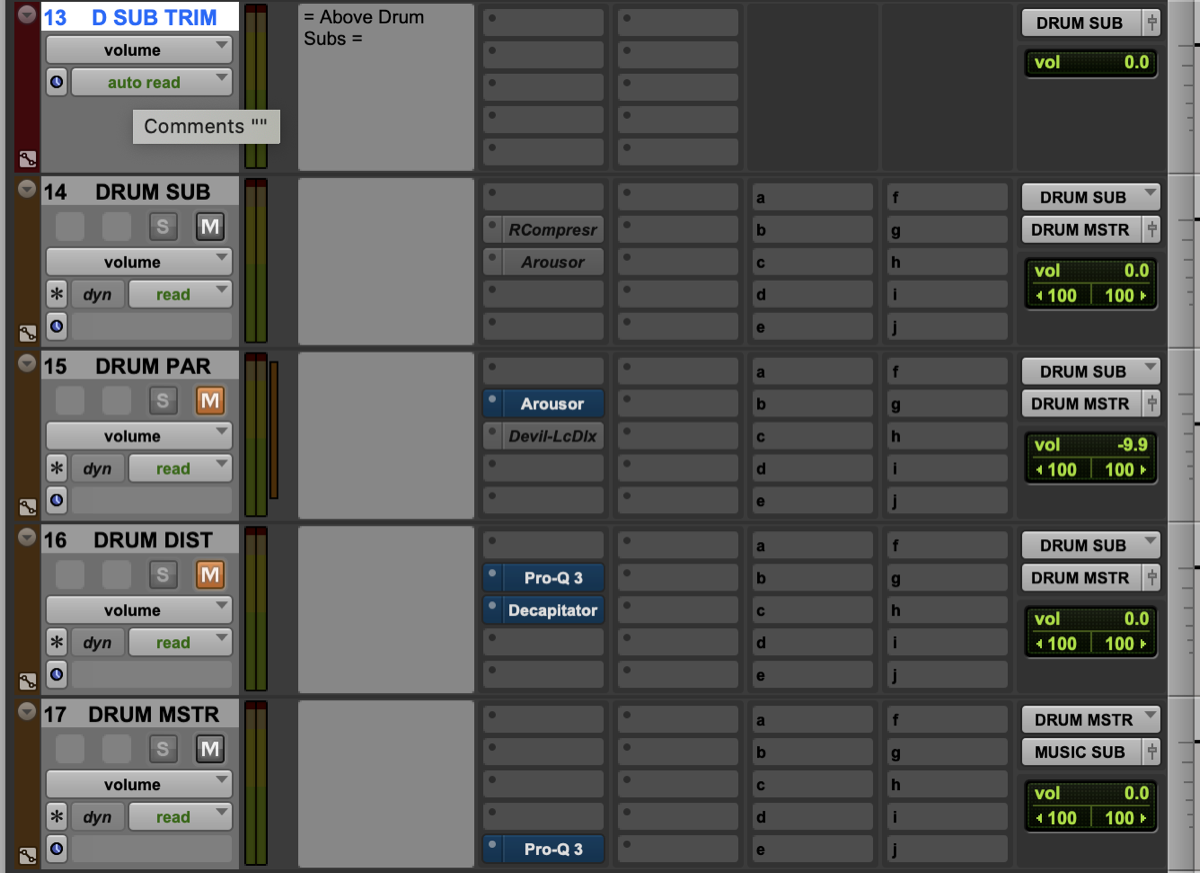 cian riordan — 2021-05-04 — All for it and a huge part of my workflow. I never got into VCAs outside of a few problems that needed solving and always have leaned on heavy bussing…
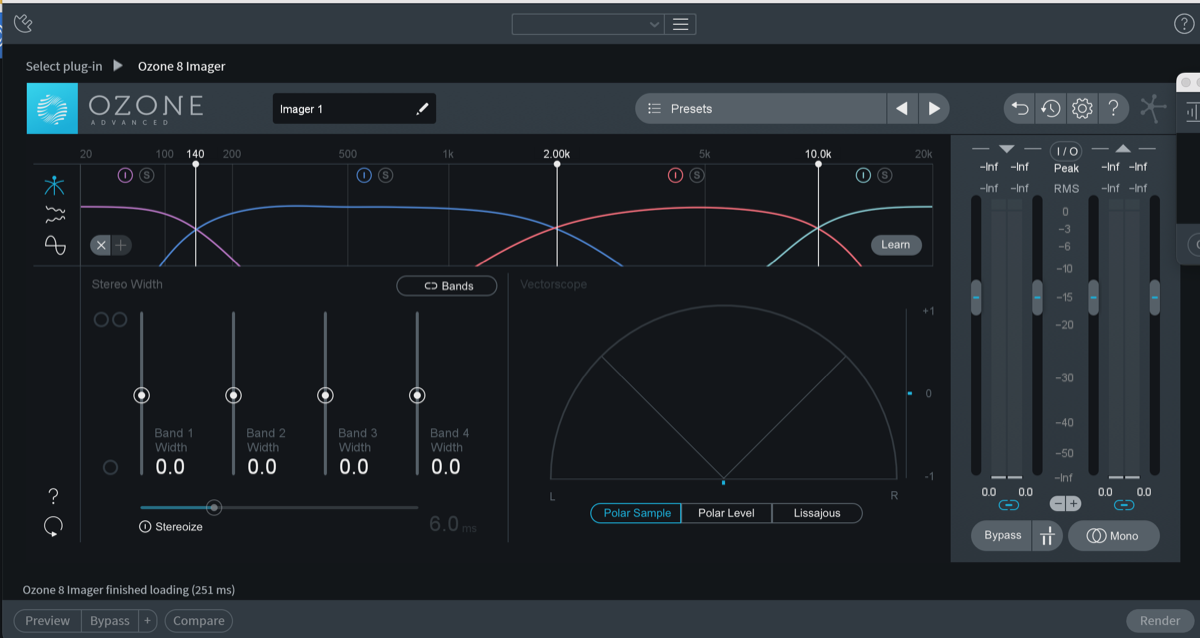 mixedbywong_my — 2021-12-29 — https://tenor.com/view/so-happy-right-now-happy-ecstatic-excited-gif-4921257 TLDR , if you’re having problems installing ozone 8 in Mac Os Monterey, c…
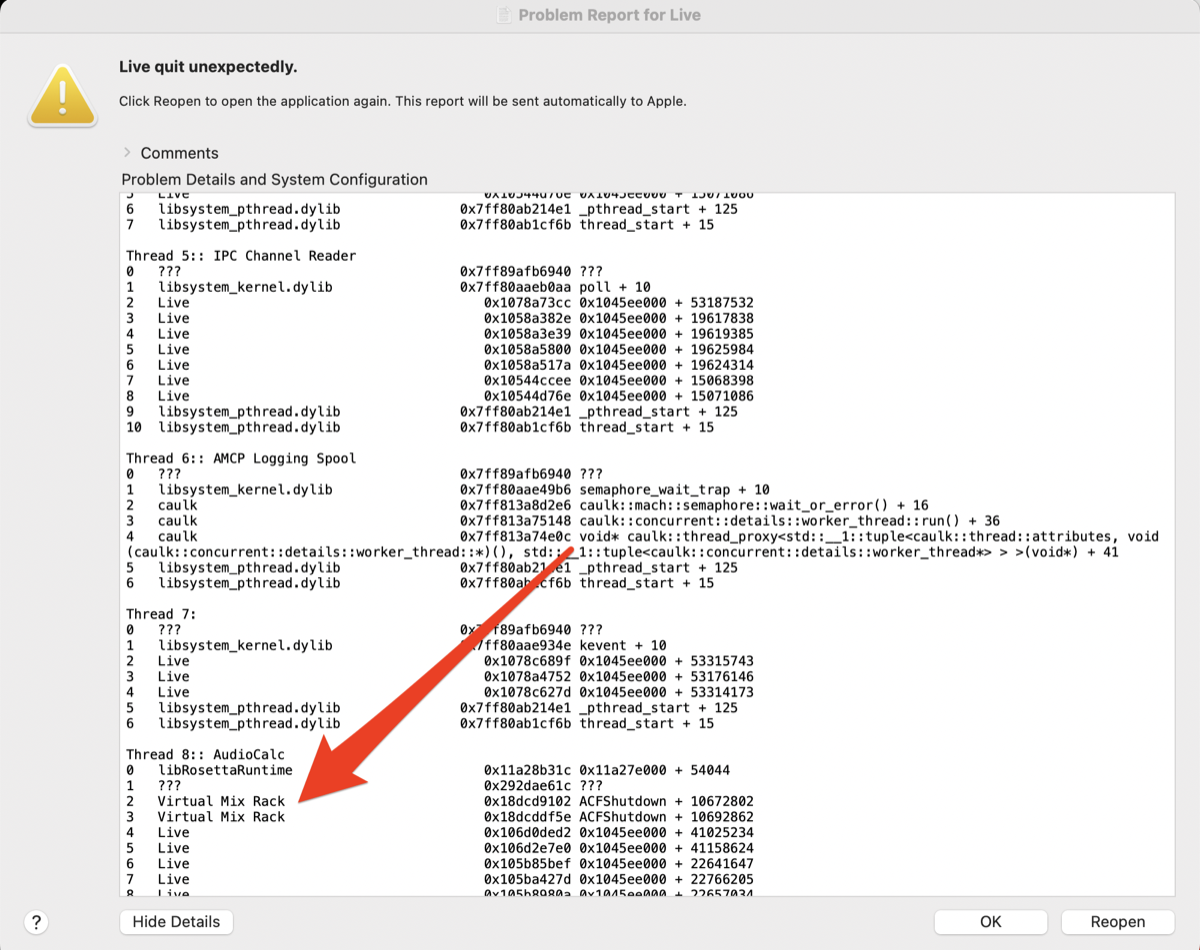 Jeremy Klein — 2022-08-10 — Also will add if you are getting random crashes, the little Mac error window that pops up can be helpful to pinpoint which plugin is causing the issue…
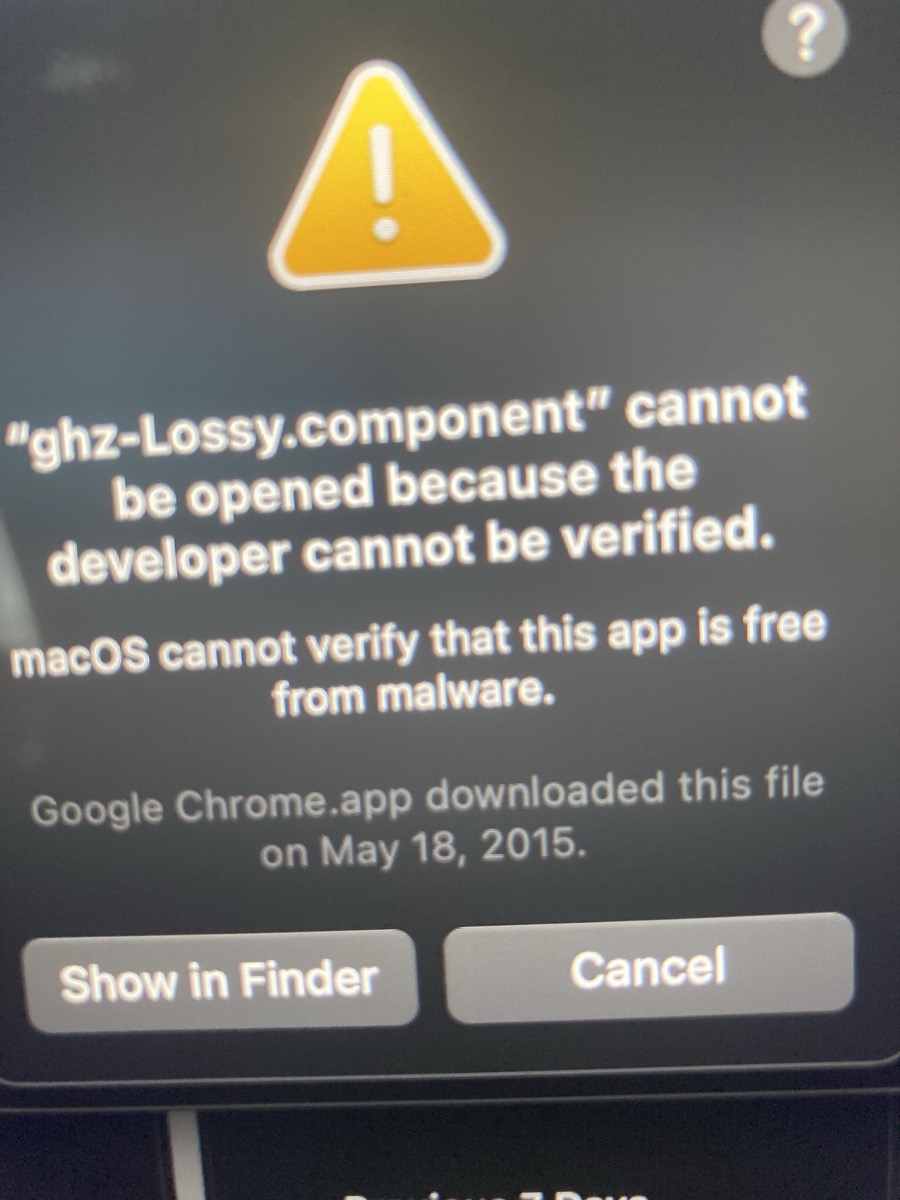 Deleted User — 2023-01-08 — has anyone had this issue? I believe this one is an older version of ghz plug so it doesn’t matter anyways but this has been popping up after the mont…
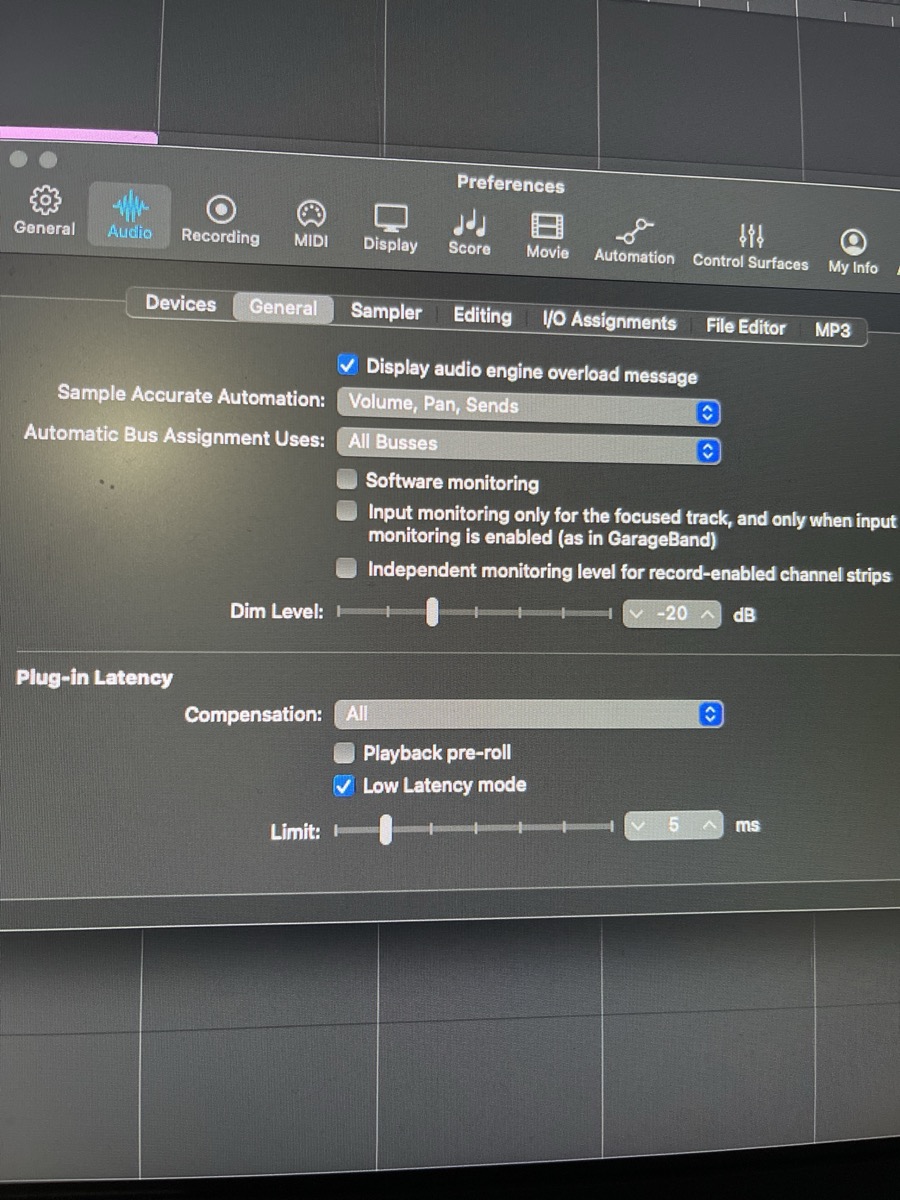 Chris Doms — 2023-02-15 — Just wanted to update, at some point I turned off plug in latency compensation in my preferences and forgot. Switching it back on fixed everything.
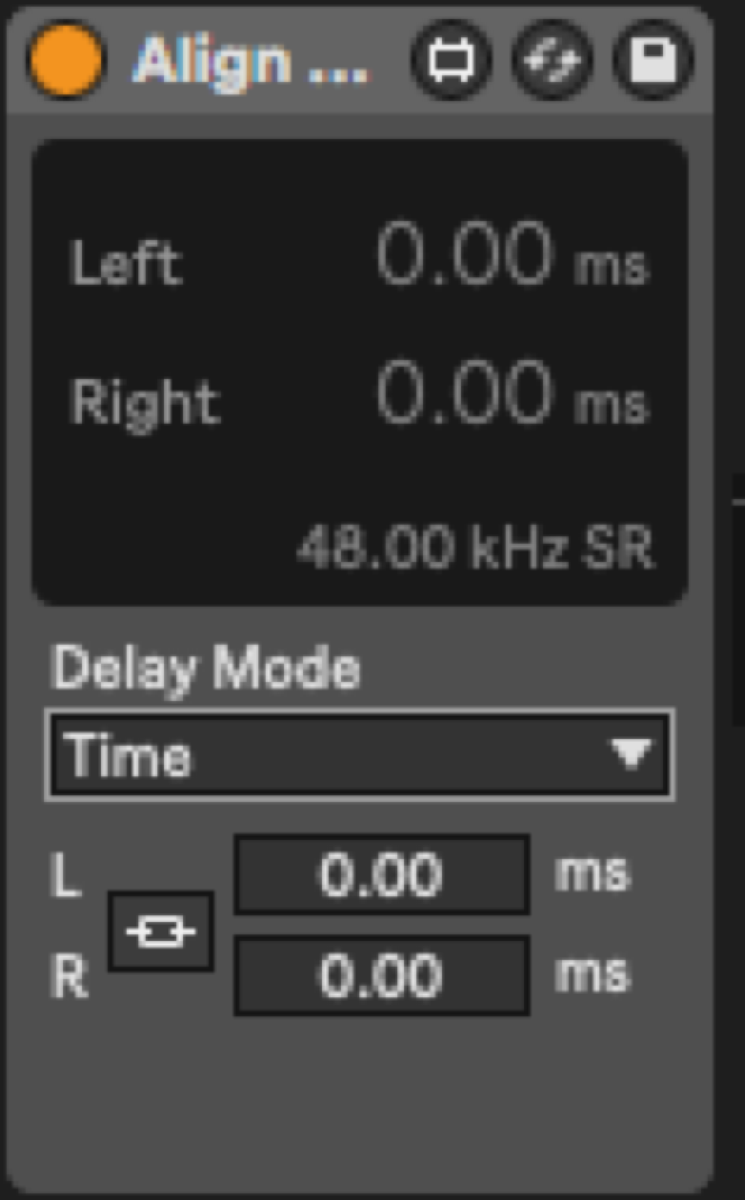 Adam Thein — 2023-02-23 — Check out Align Delay device that’s in the newest versions of 11! Does a similar thing but you can set your time by samples, milliseconds, or distanc…
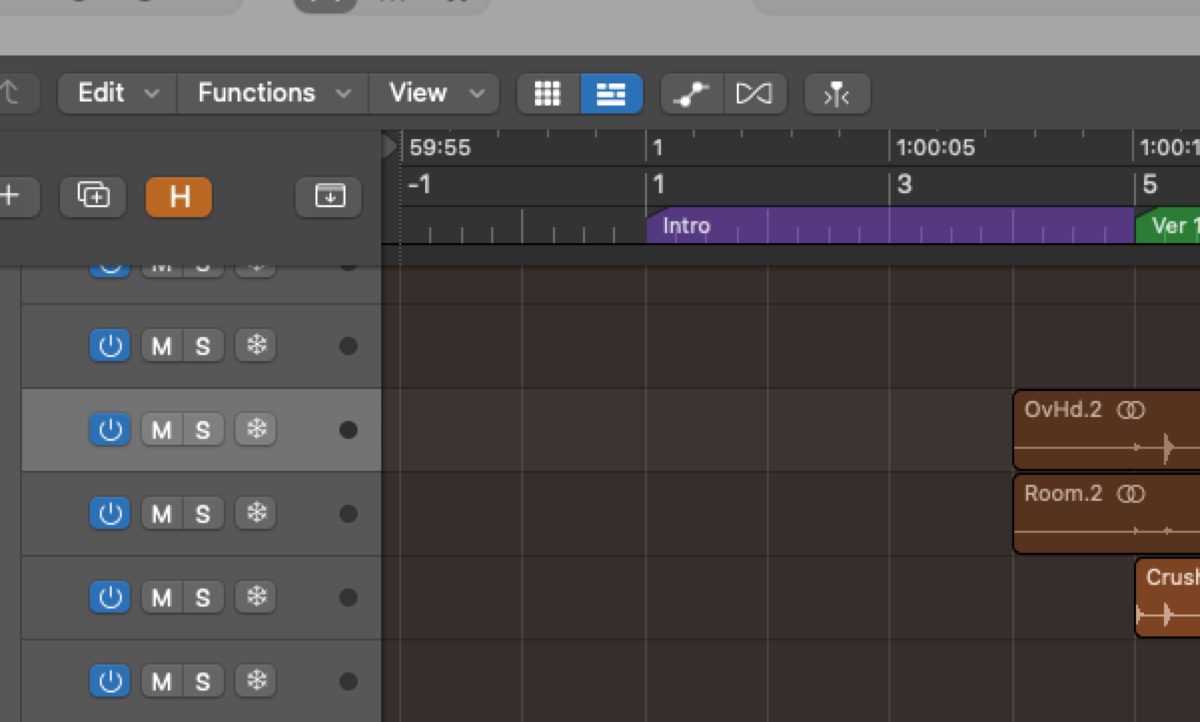 austenballard — 2023-04-16 — I have pre-roll built in to my template to avoid this problem
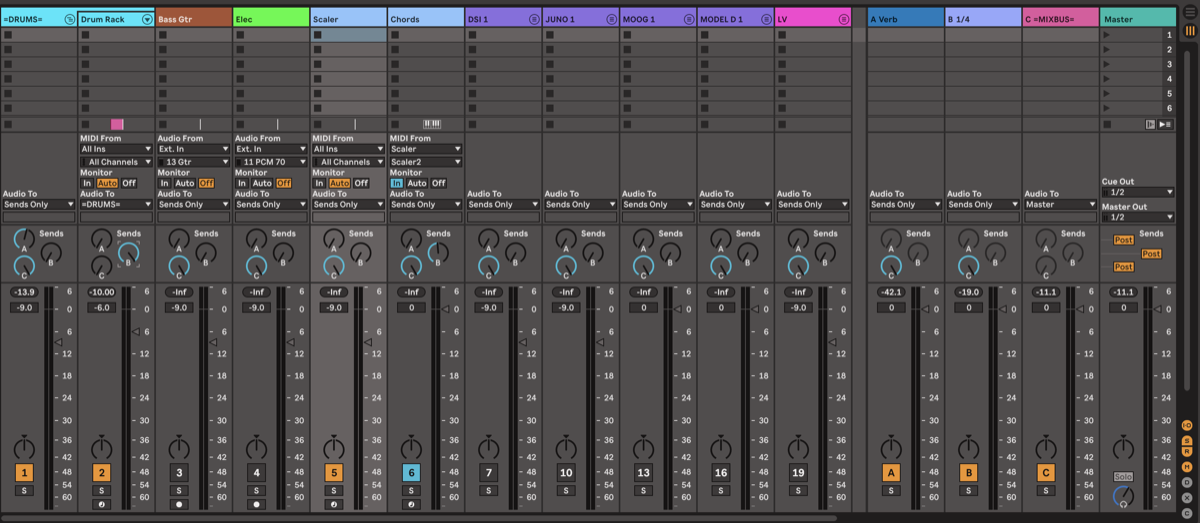 *Ross Fortune — 2023-05-18 — Tried your cascading system - it works!
With one issue, but it’s workable. Sending to a return from a nested track (“drum rack” within =DRUMS= here) …*
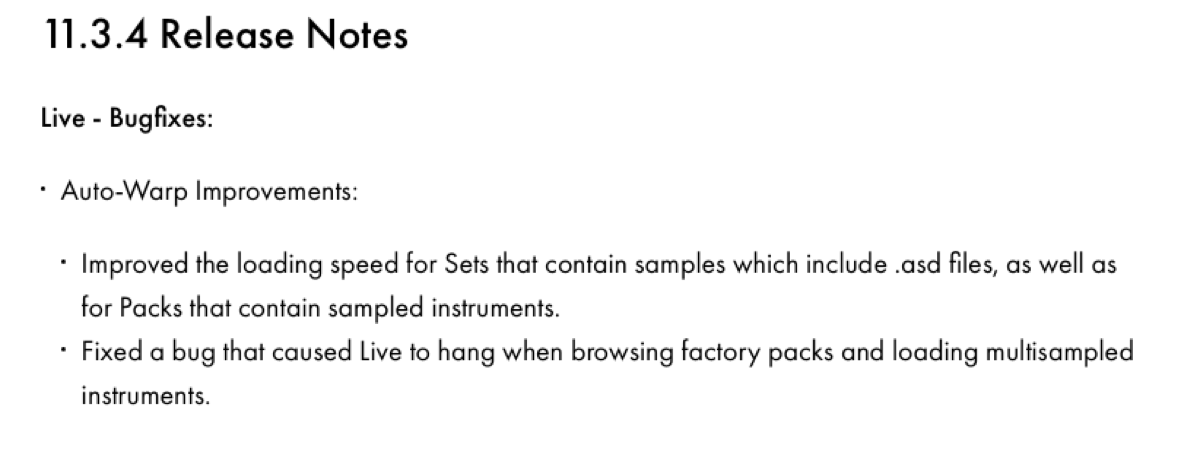 Adam Thein — 2023-07-04 — @Ross Fortune might help the issue you’ve been having
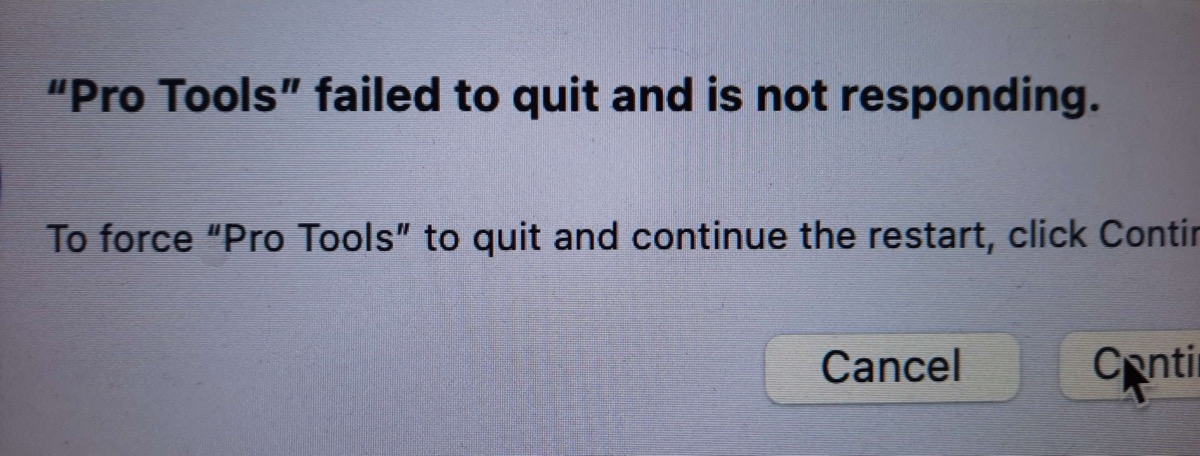 Barbara — 2023-12-13 — Still one of my favorite error messages ever. It happened a few times this year, but I dont remember this happening since I upgraded to 2023.6
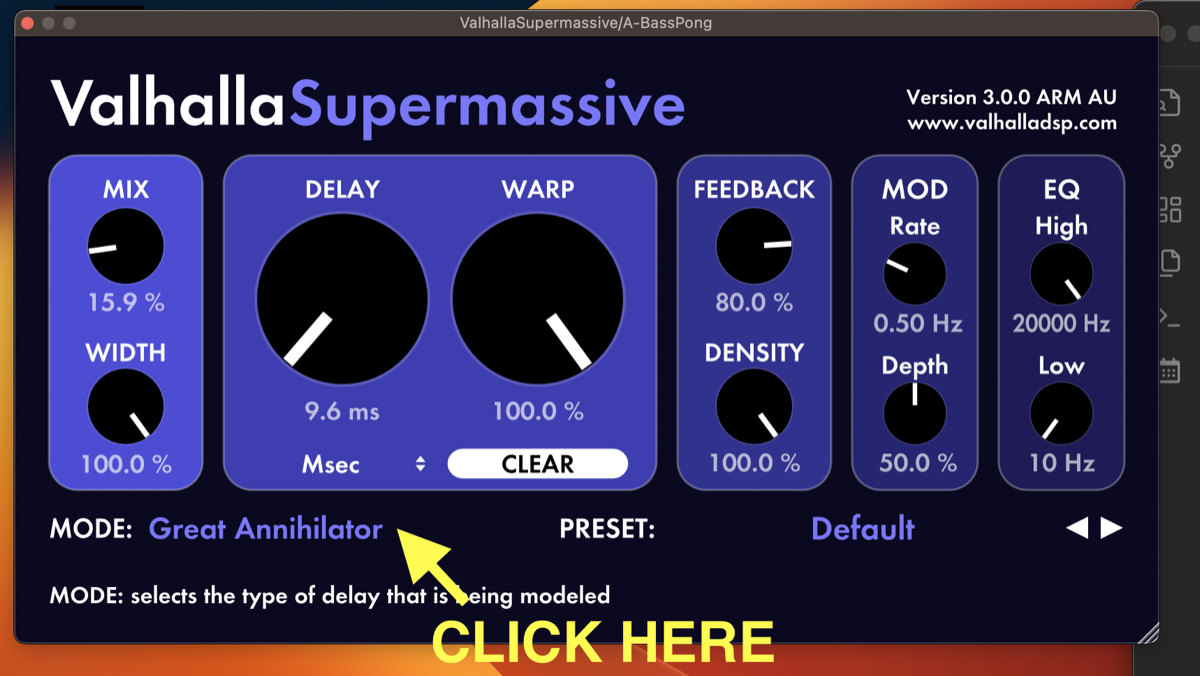 *Slow Hand — 2024-03-08 — So I’ve been experiencing a very specific problem for the last year and I want to see if anyone has been dealing with this and found a fix:
I have a …*
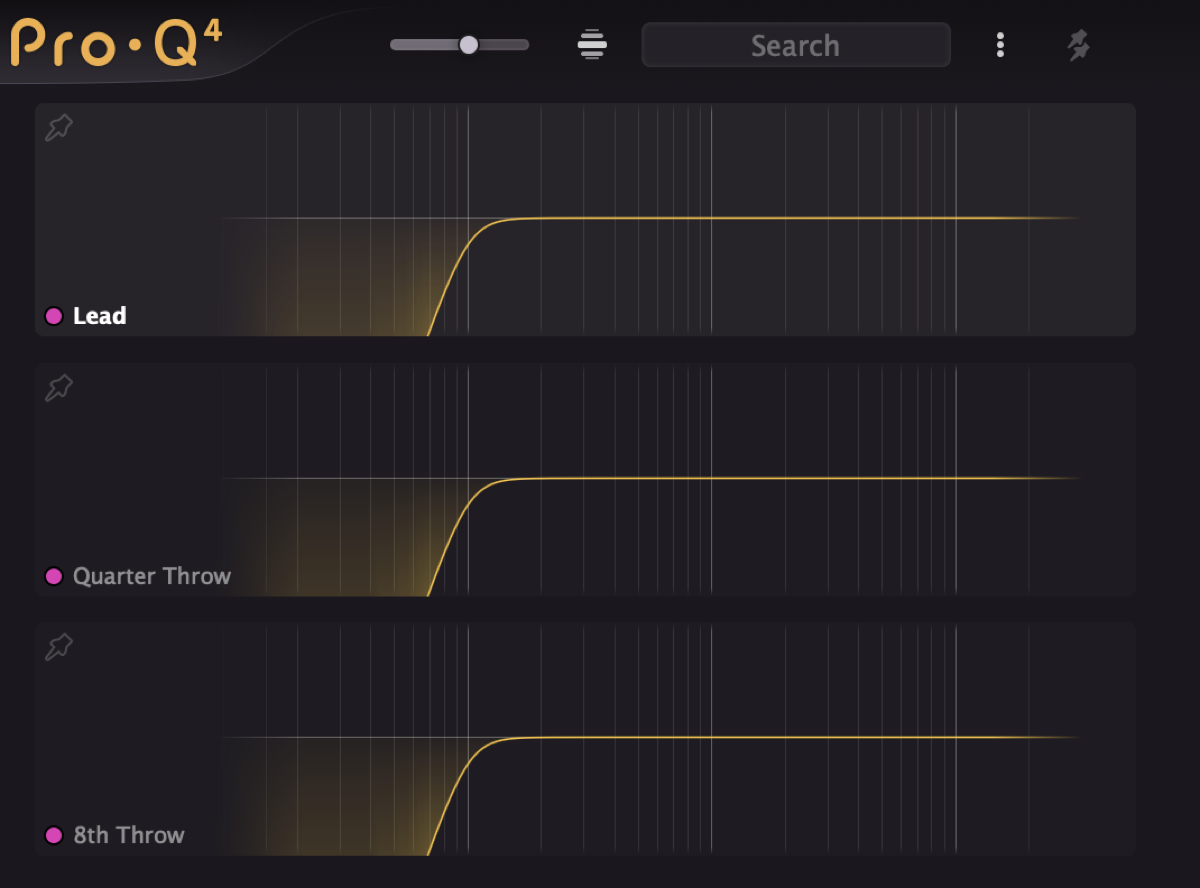 Joel “Roomie” Berghult — 2024-12-12 — the little search bar in Pro-Q 4 is really neatly thought out. If you tag your buses or categories with a specific symbol or prefix you can just put i…
Source Discussions
Discord Source
Channel: daw-talk — Date Range: 2021-02 to 2026-02 Key contributors: Slow Hand, Adam Thein, cian riordan, Iwan Morgan Message volume: 1,137 categorized messages
Discord Source
Channel: cubase — Date Range: 2024-09 to 2026-01 Key contributors: LAPhill, SoundsLikeJoe, Lee Rouse, Joel “Roomie” Berghult Message volume: ~15 messages on Cubase crashes, ARA issues, GPU conflicts, and plugin troubleshooting See also: cubase Channel Summary
Discord Source
Channel: logic-pro — Date Range: 2024-02 to 2026-02 Key contributors: spectrummasters, Brian Reynolds, Bryan DiMaio, Adam Thein, Iwan Morgan, austenballard Message volume: ~55 messages on Logic 11 crashes, SBP issues, Voice Isolation, plugin instability, frozen track PDC, and automation bugs See also: logic-pro Channel Summary
Discord Source
Channel: pro-tools — Date Range: 2024-02 to 2026-02 Key contributors: Matthew The Cooke, samvalentine, Josh Bowman, Ross Fortune, montrose recording, thegreatcarsoni, Felipe De Mari Scalone Message volume: ~170 messages on PT version bugs, session corruption recovery, M4 Rosetta errors, HEAT DSP issues, and Low Latency Monitoring confusion See also: pro-tools Channel Summary